An SEO migration is one of the most high-stakes events in the lifecycle of an eCommerce business. For Magento stores, the stakes are even higher. Magento is a platform celebrated for its flexibility and power, but it is also one of the most technically complex environments to migrate. Whether you are moving from Magento 1 to Magento 2, transitioning from an on-premise setup to Adobe Commerce Cloud, or completely replatforming, a single technical oversight can lead to a catastrophic loss in organic visibility.
Understanding the SEO migration mistakes that destroy Magento rankings is the first step in protecting your digital assets. Common symptoms of a failed migration include sudden traffic drops of 50% or more, massive deindexing of core pages, and the loss of hard-earned rankings for high-volume keywords. These disasters rarely occur due to a single error; instead, they are often the result of a series of “hidden” mistakes made during the planning and execution phases. This guide provides a clear framework for preventing these disasters before they occur.
Nội dung bài viết
- 1 SEO migration mistakes that destroy Magento rankings
- 1.1 Missing or incorrect 301 redirects
- 1.2 Redirect chains and loops after migration
- 1.3 Canonical tags pointing to wrong URLs
- 1.4 Robots.txt blocking important Magento pages
- 1.5 Noindex tags left on migrated pages
- 1.6 SEO metadata not fully migrated
- 1.7 Broken heading structure after theme changes
- 1.8 Thin or generic product and category content
- 1.9 Changing category URLs without SEO mapping
- 1.10 Internal linking structure disrupted
- 1.11 Slower page speed after migration
- 1.12 Layout shifts and broken mobile experience
- 2 How to mitigate SEO migration mistakes in Magento
- 3 How to recover Magento rankings after a failed migration
- 4 Conclusion
SEO migration mistakes that destroy Magento rankings
To prevent a ranking disaster, merchants must first understand the technical pitfalls inherent in the Magento platform during a transition phase.
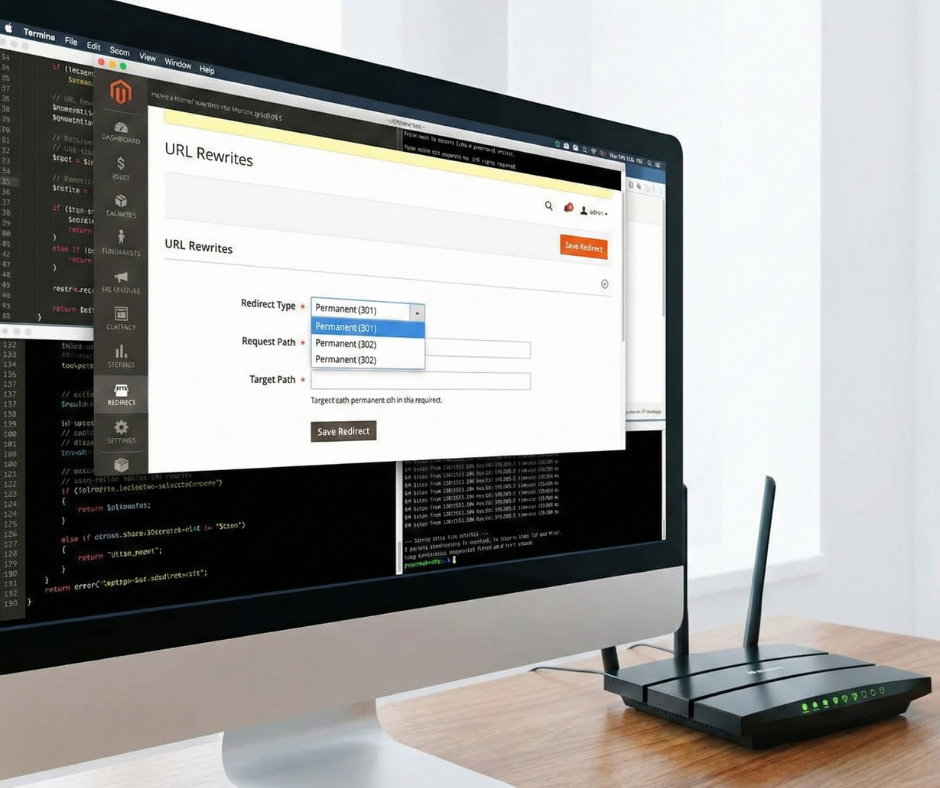
Missing or incorrect 301 redirects
What goes wrong: In many Magento migrations, the focus is placed on the new site’s design while the historical URL structure is ignored. Old product, category, and CMS URLs frequently return a 404 “Not Found” error after launch, or developers implement bulk redirects that point all old traffic to irrelevant pages such as the homepage.
Why it hurts SEO: Google uses URLs as identifiers for historical signals and link equity. When a URL disappears or redirects to an irrelevant destination, Google treats the authority as lost. This causes indexed pages to drop from the search results, and since the “link juice” from external backlinks is no longer flowing to the correct products, rankings drop permanently.
Redirect chains and loops after migration
What goes wrong: Magento’s URL rewrite table can become cluttered over time. During a migration, new redirect rules are often layered on top of legacy rules without a cleanup process. This results in redirect chains (where URL A points to B, which points to C) or loops (where URL A and B point to each other).
Why it hurts SEO: Every “hop” in a redirect chain consumes crawl budget and increases page load time. Googlebot may stop following a chain after three to five hops, meaning the final destination is never crawled. This dilutes page authority and ensures that important new pages are crawled and indexed less frequently than they deserve.
Canonical tags pointing to wrong URLs
What goes wrong: Canonical tags are the “source of truth” for search engines. During Magento development, canonicals are often hardcoded to point to staging domains (e.g., staging.brand.com) or they retain old URL patterns after a theme change. In some cases, custom theme layouts strip the canonical tag entirely.
Why it hurts SEO: Search engines rely on canonicals to identify the preferred version of a page. If the tag points to a staging site or a non-existent URL, Google cannot consolidate ranking signals. This leads to duplicate content issues, where the search engine is forced to guess which page to rank, resulting in massive instability.
Robots.txt blocking important Magento pages
What goes wrong: It is standard practice to use a Disallow: / rule in a staging environment to prevent premature indexing. A common Magento migration mistake is pushing this staging robots.txt configuration to the live production server during the final deployment.
Why it hurts SEO: If the robots.txt file blocks crawlers from the entire site, Google will immediately begin removing your pages from the index. Critical category and product pages that have taken years to rank can vanish within hours, causing a sudden and total loss of organic traffic that is difficult to reverse quickly.
What goes wrong: Similar to robots.txt, developers often set the “Default Robots” configuration in Magento to NOINDEX, NOFOLLOW during the build and QA phases. If these meta robots tags are not updated to INDEX, FOLLOW before or immediately after launch, the pages remain hidden from search results.
Why it hurts SEO: Even if a page is reachable and linked internally, a noindex tag is an absolute directive to Google. Pages remain excluded from search results, and you may find that your “Page indexing” report in Google Search Console shows a spike in “Excluded by ‘noindex’ tag” errors.
SEO metadata not fully migrated
What goes wrong: Magento data migration tools often prioritize products and customers while skipping custom SEO attributes. Meta titles, meta descriptions, and custom H1 fields are frequently skipped or overwritten by the new platform’s default templates during the import process.
Why it hurts SEO: Metadata provides the context and keywords necessary for ranking. If highly optimized, unique titles are replaced with generic “Product Name – Brand Name” strings, the page loses its topical relevance. Furthermore, generic meta descriptions lead to a lower click-through rate (CTR), signaling to Google that the content is less relevant to users.
Broken heading structure after theme changes
What goes wrong: Changing a Magento theme often disrupts the HTML heading hierarchy. New layouts may omit the H1 tag on product pages, use multiple H1s, or reorder H2 and H3 tags incorrectly (e.g., an H3 appearing before an H2 in the code).
Why it hurts SEO: Search engines use heading tags to understand page hierarchy and topical focus. A broken structure makes it difficult for bots to determine which information is most important, leading to a loss of keyword relevance and reduced visibility for competitive terms.
Thin or generic product and category content
What goes wrong: During the pressure of a migration, original, manually optimized category descriptions are sometimes replaced with short, default, or auto-generated content from an ERP system. This is especially common when store views are consolidated or split.
Why it hurts SEO: Thin content fails to provide the semantic depth Google expects. If a category page that once had 500 words of optimized copy is reduced to a list of product names, it can no longer compete for long-tail search queries, causing a gradual but significant decline in traffic.
Changing category URLs without SEO mapping
What goes wrong: Merchants often use a migration as an opportunity to “clean up” their navigation. High-traffic category URLs are renamed, merged, or moved within the hierarchy without a corresponding redirect plan or mapping of the old URL keys.
Why it hurts SEO: Category pages usually hold the most authority in a Magento store. Changing their URLs without a 1:1 redirect kills the accumulated authority and keyword rankings built over time. It effectively resets the “SEO clock” for your most important landing pages.
Internal linking structure disrupted
What goes wrong: CMS links, footer links, and breadcrumbs are often hardcoded or managed through static blocks. After migration, these links may still point to old URLs (leading to 404s) or may be removed entirely by a new theme design.
Why it hurts SEO: Link equity (PageRank) is distributed throughout a site via internal links. If this structure is weakened, important pages receive less “priority” from crawlers. This results in slower indexing and a decrease in the ranking power of pages that sit deep in the site architecture.
Slower page speed after migration
What goes wrong: New Magento themes, especially those built with heavy JavaScript frameworks or unoptimized CSS, can significantly increase load times. Forgetting to enable the Full Page Cache (FPC) or failing to optimize image delivery are common post-migration oversights.
Why it hurts SEO: Page speed is a confirmed ranking factor. Poor performance scores on Core Web Vitals (LCP, FID, CLS) lead to a reduction in rankings, particularly on mobile search where Google prioritizes fast, responsive experiences.
Layout shifts and broken mobile experience
What goes wrong: New responsive layouts often introduce Cumulative Layout Shift (CLS) issues as banners or fonts load. Usability problems, such as buttons being too close together or text being too small, are common when a site is migrated without rigorous mobile QA.
Why it hurts SEO: User engagement metrics, such as bounce rate and dwell time, drop when a site is difficult to navigate on a mobile device. Google’s mobile-first indexing policy means that if the mobile experience is poor, the entire site’s rankings will suffer.
How to mitigate SEO migration mistakes in Magento
Mitigation is about building a system of controls and technical validation that starts long before the code is deployed. Avoiding the SEO migration mistakes that destroy Magento rankings requires a proactive and documented approach.
Start SEO planning before Magento development begins
SEO mitigation starts at the planning phase, not after the code is written. Before development, your team must lock the URL structure for products, categories, and CMS pages. You should decide which categories must remain unchanged because they drive the majority of your traffic and revenue.
Defining SEO data as “mandatory migration data” is essential. This ensures that metadata, canonicals, and internal link structures are treated with the same importance as product SKUs and customer records. Early SEO alignment prevents irreversible structural decisions that are incredibly costly to undo once the development is finalized. To ensure a smooth transition, understanding the fundamental SEO considerations when migrating to Magento 2 during this planning phase will help you align your technical requirements with search engine expectations from day one.
Build a complete SEO migration checklist
Build a complete SEO migration checklist
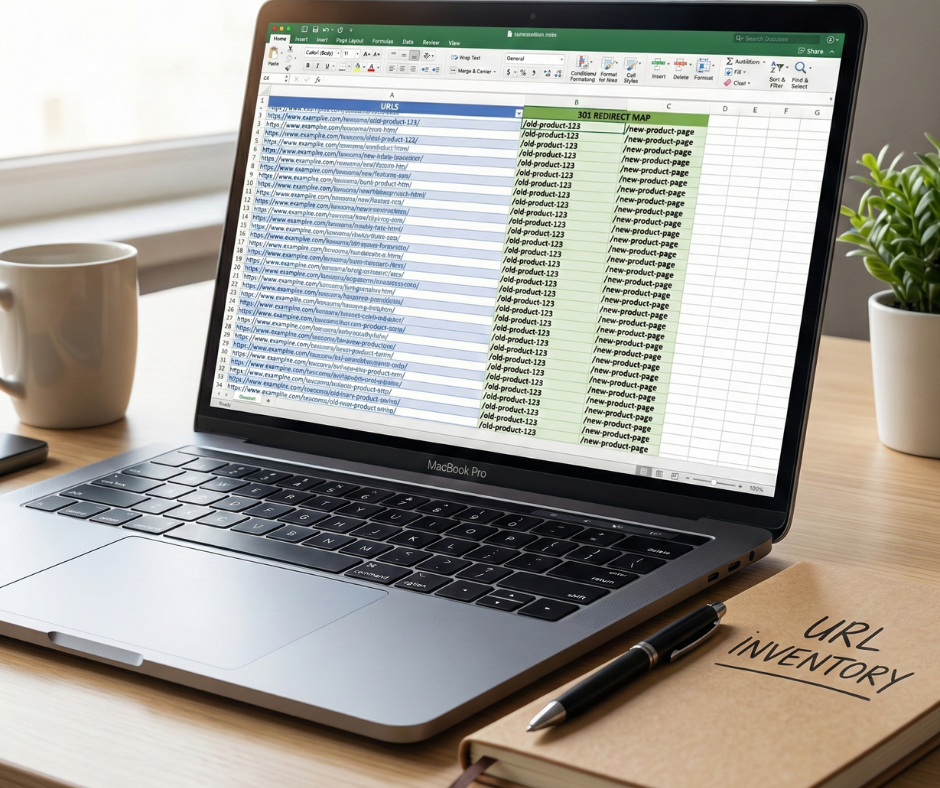
A Magento migration should always follow a documented SEO checklist to ensure technical consistency. This checklist must include a full inventory of the old site’s URLs, including traffic and keyword data from Google Analytics and Search Console.
The checklist acts as a control system to ensure nothing critical is skipped. It should include redirect mapping for every indexable URL, validation of the robots.txt and canonical logic, and clear indexing rules for categories, products, filters, and search pages. To streamline this process, many merchants utilize a specialized Magento SEO extension to automate URL rewrites and metadata management.
Use staging audits as a quality gate

Use staging audits as a quality gate
Staging environments are not just for functional QA; they are essential for SEO validation. Before going live, you should perform a full crawl of the staging site to detect 404 errors, duplicate content, and missing metadata.
You must verify that the internal linking structure is relative and not pointing to the staging domain. Testing performance and Core Web Vitals on staging allows you to fix speed issues before they impact live rankings. No Magento site should go live until staging SEO results are within acceptable thresholds for speed, indexability, and mobile usability.
Protect high-value SEO pages during migration
Not all pages deserve equal treatment during a migration. You should explicitly identify and protect your “Gold Standard” pages: top-ranking category pages, high-converting product pages, and CMS pages with strong external backlinks.
These pages should have their URLs preserved exactly as they were on the old site whenever possible. If changes are unavoidable, you must implement manual, one-to-one 301 redirects rather than relying on automated rules. After launch, these specific pages should be manually validated to ensure they are loading correctly and being indexed by Google.
Monitor SEO signals immediately after launch
Mitigation does not stop at the moment of launch. In the first 30 days, you must closely monitor index coverage changes in Google Search Console. Look for sudden drops in category or product impressions, which are early indicators of a ranking loss.
By monitoring crawl errors and redirect behavior daily, you can identify “leaks” in the migration early. Implementing a rigorous set of pre & post-migration SEO tips for Magento websites ensures that you not only catch errors quickly but also maintain a steady path toward recovering and growing your organic rankings. Detection allows for quick technical fixes before the search engine completes its re-assessment of the site, preventing ranking loss from becoming permanent.
How to recover Magento rankings after a failed migration
If a migration has already occurred and rankings have dropped, you must transition from mitigation to an active recovery strategy.
Diagnose the real cause of ranking loss
The first step in recovery is isolating the problem, not applying random fixes. You should analyze which URL types lost the most traffic—was it categories, specific product lines, or the CMS blog?
Determine whether the losses are site-wide (often a technical or indexing issue) or section-specific (often a content or link equity issue). Comparing the “Indexed” pages report before and after the migration will help you determine whether the issue is technical, structural, or related to the quality of your migrated content.
Most Magento SEO recoveries start with correcting technical signals to restore search engine trust. If you missed redirects, fix them immediately. If noindex tags were left on valid pages, remove them and use the “Request Indexing” tool in Google Search Console.
Correcting canonical URLs that point to wrong destinations is also a priority. Once search engines begin receiving consistent, accurate signals about which pages are the authoritative versions, the recovery process can begin in earnest.
Rebuild category SEO as a priority
Category pages often suffer the most during Magento migrations because they rely heavily on internal hierarchy and accumulated authority. Focus your recovery efforts here first. Restore original category URLs if possible, or ensure redirects are perfectly mapped.
Rewriting category descriptions with stronger semantic depth and reinforcing internal links from the main navigation and high-traffic CMS content can help these pages regain their lost positions. Because category pages are the “hubs” of an eCommerce site, their recovery usually leads to the recovery of the site’s overall organic traffic.
Strengthen internal linking and crawl paths
After a failed migration, the internal linking structure is often fragmented. You should audit and update all internal links to ensure they point to the final, live URLs rather than redirected paths.
Ensuring that your most important pages are reachable within three clicks of the homepage is vital. Reinforcing breadcrumbs and contextual links within product descriptions improves crawl efficiency, helping Google re-evaluate and re-rank your affected pages much faster than a standard crawl would allow.
Be patient but data-driven during recovery
Magento SEO recovery is rarely instant. It can take several weeks or even months for Google to re-crawl a massive catalog and re-distribute link equity. During this phase, track impressions in Google Search Console rather than just traffic, as impressions will show you that rankings are returning before the clicks start to follow.
Watch keyword recovery trends weekly and avoid making major structural changes to the site while Google is in the middle of reassessing the migration. Consistent technical signals and stability are key to regaining the trust of search engines and returning your rankings to their pre-migration levels.
Conclusion
A Magento SEO migration is a complex technical maneuver that leaves no room for error. The most dangerous SEO migration mistakes that destroy Magento rankings—from broken redirects to unoptimized mobile layouts—are entirely preventable with a disciplined approach to planning and validation.
By treating SEO as a core component of the development process rather than an afterthought, merchants can protect their hard-earned rankings. Remember that a successful migration is measured not by the beauty of the new theme, but by the stability of the organic traffic that sustains the business. Consistent attention to detail and a robust recovery plan can ensure your Magento store thrives long after the migration is complete.