In the world of technical SEO, especially for large-scale eCommerce platforms, the term “crawl budget” is frequently discussed but often misunderstood. For a Magento store, managing crawl waste is not just a secondary optimization task; it is a critical component of a successful organic search strategy. Crawl waste occurs when search engine bots, such as Googlebot, spend significant time and resources crawling URLs that have no search value, are duplicates, or are technically broken.
Magento stores are particularly vulnerable to this issue. Due to the platform’s robust nature, which supports massive catalogs, complex faceted navigation, and a high volume of URL parameters for sorting and filtering, a single product can theoretically exist at hundreds of different URLs. This guide provides a comprehensive roadmap for managing crawl waste in Magento stores, helping developers and SEO specialists ensure that search engines focus their energy on high-value pages.
Nội dung bài viết
- 1 Understanding crawl waste in Magento
- 2 Common causes of crawl waste in Magento stores
- 3 Step 1 – Identify and measure crawl waste
- 4 Step 2 – Decide what should be crawled vs controlled
- 5 Step 3 – Technical controls to reduce crawl waste
- 6 Step 4 – Optimizing internal linking and navigation
- 7 Step 5 – XML sitemap optimization
- 8 Step 6 – Monitoring, testing, and iteration
- 9 Advanced considerations for large Magento stores
- 10 Conclusion
Understanding crawl waste in Magento
To manage crawl waste effectively, one must first be able to recognize it within the context of Magento’s specific URL architecture.
What crawl waste looks like in Magento stores
In a typical Magento environment, crawl waste manifests as a flood of bot activity on URLs that serve no purpose in the search index. This includes parameterized URLs generated by layered navigation (e.g., filtering by price, color, or size), session IDs that get appended to the end of URLs, and sorting options like “price: low to high.”
Furthermore, bots often find their way into “crawl traps.” These are infinite combinations of filters where a bot can click a color, then a size, then a brand, then a material, creating a unique URL for every possible permutation. While these pages are useful for a user, they are catastrophic for SEO because they create millions of near-duplicate pages that provide no additional value to a search engine.
When crawl waste becomes an SEO problem
Crawl waste transitions from a technical nuisance to a serious SEO problem when it begins to impact the “health” of your index. The most immediate symptom is the slow indexing of important pages. If Googlebot is busy crawling 50,000 variations of a “blue t-shirt” filter, it may not find the 500 new products you uploaded last week for several months.
Another major issue is “index bloat”. This occurs when search engines actually decide to index these low-value pages. If left unaddressed, these Magento index issues dilute the authority of your core pages and send confusing signals to search algorithms about which page is the ‘primary’ version. For enterprise stores with limited crawl budgets, this inefficiency can lead to a significant drop in organic visibility as the most profitable pages are neglected in favor of technical “noise.”
Common causes of crawl waste in Magento stores
Common causes of crawl waste in Magento stores
Magento’s out-of-the-box functionality is powerful, but many of its standard features are unintended “bot magnets” for crawl waste.
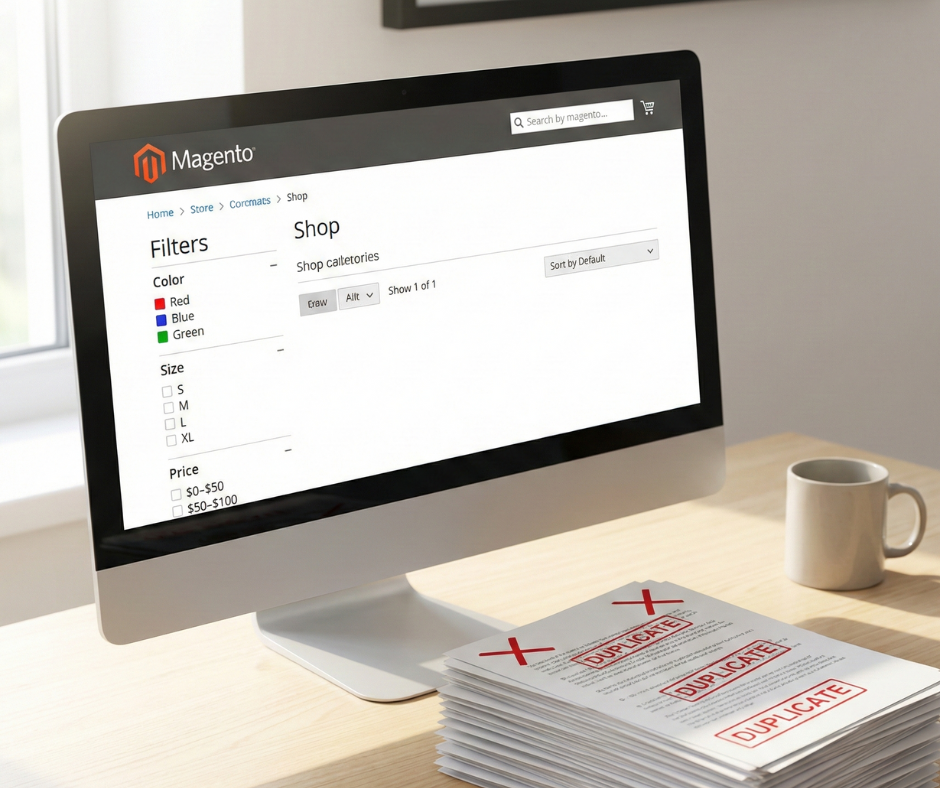
Faceted navigation is the number one cause of crawl waste in Magento. These filters—color, size, price, brand—are essential for user experience but create a logarithmic increase in URLs. If a category has 10 filters, the number of potential URL combinations is staggering. Standard Magento setups often leave these filters open to be crawled, leading bots down endless paths of filtered results that are often empty or contain the same products as the parent category.
URL parameters and sorting options
Beyond filters, sorting parameters like ?product_list_order=price or ?dir=desc create duplicate versions of every category page. Additionally, legacy tracking parameters or session IDs (often seen as ?SID=) can create unique URLs for every single visit, even if the content is identical. Google typically tries to group these, but the sheer volume in a Magento store can overwhelm the grouping algorithms, leading to redundant crawling.
Duplicate category and product URLs
Magento allows products to exist in multiple categories. By default, this can create multiple paths to the same product:
- domain.com/product-name.html
- domain.com/category-a/product-name.html
- domain.com/category-b/product-name.html
While canonical tags help mitigate indexing issues, bots still spend time crawling all three paths. Similar issues occur with pagination (e.g., ?p=1 vs. the base category) and trailing slash inconsistencies between the URL rewrites and the actual site structure.
Internal search, cart, and account pages
Search engine bots are incredibly persistent. They will often try to “submit” internal search forms or follow links to the shopping cart, checkout, and customer account areas. These pages should never be indexed and, in most cases, should never be crawled, as they contain no static content that would ever be relevant to a search query. Understanding how to prevent Magento internal search pages from being indexed is a critical security and SEO measure to stop Googlebot from wasting energy on /catalogsearch/ results.
Step 1 – Identify and measure crawl waste
Before you can fix crawl waste, you must quantify it. You cannot rely on “best guesses” when dealing with search engine behavior.
Using google search console
The Crawl Stats report in Google Search Console is your most vital tool. It shows you the average requests per day and, more importantly, a breakdown of crawl purpose (Discovery vs. Refresh). If a high percentage of your crawl is “Discovery” but your index isn’t growing, bots are discovering low-value URLs. You should also examine the “Indexed, not submitted in sitemap” section of the Indexing report to see if Google is finding thousands of filtered URLs you didn’t intend to show.
Log file analysis (when and why it matters)
Search Console provides a summary, but Log File Analysis provides the truth. By analyzing your server logs (Access Logs), you can see exactly which URLs Googlebot hit, at what time, and how often. This allows you to spot patterns—such as a bot hitting the same /customer/account/ path 5,000 times a day—that Search Console might aggregate or hide. For enterprise Magento stores, log file analysis is non-negotiable for understanding bot efficiency.
SEO crawling tools for Magento stores
Using tools like Screaming Frog or Sitebulb to crawl your own site is essential. Configure the crawler to ignore your robots.txt and see where it goes. If your crawler finds 500,000 URLs on a site that only has 5,000 products, you have identified the exact extent of your crawl waste. These tools will help you categorize the waste into “parameters,” “duplicates,” and “orphaned pages.”
Step 2 – Decide what should be crawled vs controlled
Not all filters are “waste.” Some provide significant SEO value.
Defining high-value vs low-value pages
High-value pages are those with search intent. Your main categories and product pages are obvious. However, certain filter combinations—like “Men’s Nike Running Shoes”—have high search volume. In a managed framework, these should be treated as “SEO Landing Pages” rather than dynamic filters. Everything else that doesn’t have a specific keyword target is considered low-value and should be restricted.
When faceted pages should be indexable
You should allow faceted pages to be indexable only if they are “clean” URLs (e.g., domain.com/shoes/nike/running) and have unique metadata and content. If the page is simply the same category list with two fewer items, it should be controlled. A common strategy is to allow the first level of a high-value filter (like “Brand”) to be crawled and indexed, while blocking multi-select combinations (e.g., “Brand + Color + Size”).
Pages that should never be crawled or indexed
There is a hard list of Magento paths that offer zero SEO value:
- /catalogsearch/ (Internal search results)
- /checkout/ and /cart/
- /customer/ (Account pages)
- /wishlist/
- ?SID= (Session IDs)
- ?___store= (Store switchers, if handled via subfolders)
Step 3 – Technical controls to reduce crawl waste

Technical controls to reduce crawl waste
Once you have your target list, you must apply the technical “brakes.” In addition to manual configuration, utilizing a feature-rich SEO Magento extension can simplify the process of setting up meta tags, managing canonicals, and handling sitemap exclusions across thousands of URLs.
Robots.txt best practices for Magento
The robots.txt file is your first line of defense. It prevents bots from even attempting to access a URL. A well-optimized Magento robots.txt should specifically disallow common parameter strings. For example: Disallow: /*?*product_list_order= Disallow: /*?*price= Disallow: /catalogsearch/ However, be careful not to block your CSS or JS files, as Google needs these to render the page and understand the user experience.
Canonical tags are a “hint” to search engines, not a directive. While they don’t stop a bot from crawling a URL, they tell the bot which version is the “original.” Every Magento page should have a self-referencing canonical tag. Filtered pages should generally point back to the main category page. A common pitfall in Magento is a “canonical loop” or pointing canonicals to pages that are blocked by robots.txt—ensure the canonical target is always crawlable and indexable.
Noindex vs disallow: Choosing the right approach
This is a critical distinction. Disallow stops the crawl. Noindex allows the crawl but stops the indexing. If you have a massive amount of URLs, Disallow is better for saving crawl budget. If you have a few pages that you want Google to see (to pass internal link authority) but not show in search, use Noindex. For Magento’s faceted navigation, Disallow via robots.txt is usually the most efficient way to save budget.
Managing URL parameters in Magento
Use the “URL Parameters” tool (now part of the legacy Search Console) or focus on consistent internal linking. Ensure that your site always links to the “clean” version of a URL. If your menu links to domain.com/shoes?p=1, you are wasting crawl energy on a parameter that isn’t needed for the initial page load.
Bots discover your site by following links. If you don’t link to waste, bots are less likely to find it.
Preventing crawl waste through smart internal links
Many Magento themes include every single filter in the HTML of the page. This means every category page might contain 200 links to filtered variations. Use AJAX for your layered navigation filters so the links aren’t in the static HTML, or use “nofollow” on filter links. This keeps the bot focused on the main category and product links.
Pagination and infinite scroll SEO
Avoid “crawl traps” in pagination. Ensure your pagination uses standard <a href=”…”> tags so bots can follow them, but use rel=”next” and rel=”prev” where appropriate for non-Google bots. If using infinite scroll, ensure there is a fallback pagination in the <footer> or via <noscript> tags so bots can reach deep products without executing complex JavaScript.
Your header and footer appear on every single page. If you have a “Quick Search” or “Recent Orders” link in your footer, you are giving bots millions of paths to low-value pages. Clean up your global navigation to only include high-value, indexable destinations that directly contribute to your SEO goals.
Step 5 – XML sitemap optimization

XML sitemap optimization
The XML sitemap is your “priority list.” If a URL is in the sitemap, you are explicitly asking Google to crawl it.
What should appear in Magento xml sitemaps
Your sitemap should be a 1:1 reflection of your indexable site. It should contain:
- Your homepage
- Indexable CMS pages (About, Contact, etc.)
- All active, indexable category pages
- All active product pages
It should never contain URLs that return a 404, 301, or have a noindex tag.
Excluding low-value URLs from sitemaps
Magento’s default sitemap generator sometimes includes hidden products or out-of-stock items. Ensure your sitemap logic excludes:
- Products that are “Not Visible Individually”
- Out-of-stock items (unless they are temporarily out of stock)
- Filtered variations
- Parameterized URLs
Using sitemaps to guide crawlers efficiently
Use the <lastmod> tag correctly. If a product hasn’t changed in two years, the lastmod date tells Google it doesn’t need to re-crawl it as often. This allows the bot to focus on the lastmod dates that were updated today, which are likely your new products or updated prices.
Step 6 – Monitoring, testing, and iteration
Consistency is key when managing crawl waste in Magento stores. After implementing changes, you must establish a routine for monitoring performance.
Measuring crawl efficiency improvements
After implementing these controls, return to the Crawl Stats report in Google Search Console. You should see a decrease in total requests but an increase in the percentage of “Discovery” for new pages and “Refresh” for high-value pages. Monitor your “Pages Indexed” vs. “Pages Discovered” ratio. A healthy Magento store should see these numbers converge over time.
Common mistakes to avoid
The most dangerous mistake is “over-blocking.” If you disallow /catalog/product/view/, you might accidentally block your entire product catalog if your URLs aren’t rewritten correctly. Another mistake is using the “URL Parameters” tool in GSC incorrectly, which can lead to Google de-indexing your entire site. Always test your robots.txt changes in the GSC Tester before deploying to production.
Ongoing crawl waste management for growing stores
As you add new categories, brands, or attributes, Magento will create new URL patterns. SEO audits should be performed quarterly. Every time a new extension is installed—especially those that change navigation or search—a fresh crawl analysis must be conducted to ensure no new crawl traps have been introduced.
Advanced considerations for large Magento stores
Enterprise-level Magento sites require even more granular control over their technical SEO debt.
Enterprise catalogs and multi-store setups
If you run multiple store views (e.g., English, French, German), your crawl budget is effectively split. Use hreflang tags correctly to tell Google that these are translations, not duplicates. Ensure your robots.txt is scoped correctly for each subfolder or domain to prevent language cross-crawling waste.
JavaScript, AJAX filters, and crawling
Modern Magento stores often use “Headless” setups or heavy JavaScript for filtering. While Google can render JS, it is “expensive” (in terms of crawl budget) for them to do so. If your filters are only accessible via JS, you may actually be saving crawl budget, but you must ensure that your core products are still reachable via a static HTML path.
When to use SEO landing pages instead of filters
For high-volume terms like “Black Leather Boots,” don’t rely on the ?color=black&material=leather filter. Create a dedicated Magento category for “Black Leather Boots.” This gives you full control over the URL, metadata, and H1, and it provides a “clean” path for bots to follow, which is infinitely more powerful for ranking than a parameterized filter page.
Conclusion
A consistent recap of the framework for managing crawl waste in Magento stores is essential for technical SEO success. By implementing these practical steps, you move from a reactive state—where bots dictate what they see—to a proactive state where you guide search engines toward your most profitable content.
Crawl waste management is an ongoing process that requires constant vigilance, especially as your catalog grows. The final recommendation for sustainable Magento SEO growth is simple: value the bot’s time as much as your own. Every millisecond a bot spends on a worthless parameter is a millisecond it isn’t spending on a page that could be generating revenue. Prioritize efficiency, eliminate duplicates, and keep your internal architecture clean. This discipline will transform your Magento store from a bloated technical mess into a lean, high-performing organic search machine.