The SEO landscape has evolved from a keyword-centric discipline to one defined by experience-driven search performance. While traditional factors like backlinks remain relevant, Google’s sophisticated algorithms now prioritize how users interact with a site, presenting both a challenge and an opportunity for Magento store owners. Due to the inherent complexity of e-commerce, including intricate product grids and multi-step checkouts, any friction in the user journey does more than just hurt conversions; it signals to search engines that the page may not be the optimal result for a user’s query.
In the Magento ecosystem, UX signals directly influence engagement, crawl efficiency, and organic visibility. Poor navigation or slow interactions lead to “pogo-sticking,” where users quickly bounce back to search results, damaging the site’s perceived authority and ranking. Furthermore, layout instability can hinder how effectively Googlebot renders and understands store content. Consequently, aligning Magento’s complex architecture with modern UX standards is essential for maintaining site authority and ensuring efficient indexing in today’s competitive search environment.
Nội dung bài viết
How UX signals influence Magento SEO
Clarifying the relationship between UX and search rankings is essential for any digital strategy. While UX is often viewed through the lens of Conversion Rate Optimization (CRO), its impact on SEO is profound.
Direct vs indirect ranking signals are often the subject of debate. Direct signals, such as the Core Web Vitals, are officially confirmed by Google as ranking factors. Indirect signals, like dwell time and click-through rate (CTR), act as quality indicators. When Google observes that users stay longer on a Magento site and interact with multiple pages, it infers that the site provides high-quality, relevant content, leading to better positioning over time.
Google uses engagement and usability as quality indicators because its primary goal is to satisfy the searcher’s intent. If a Magento store is difficult to use on mobile or has confusing navigation, it fails to meet that intent. Poor UX effectively amplifies SEO problems in Magento environments. For instance, if your technical SEO is perfect but your page takes six seconds to become interactive, the technical effort is wasted because the user experience signal sent back to Google is one of failure.
Core UX signals that impact Magento SEO performance
In the Magento ecosystem, user experience is not just about aesthetics; it is a collection of technical signals that Google uses to rank a website. Below are the core UX groups that directly influence SEO performance for an e-commerce store.
Page speed & core web vitals
Core Web Vitals (CWV) are the real-world measurements of page load speed and visual stability. For a heavy platform like Magento, optimizing these metrics is a major challenge but provides a significant competitive advantage. Learning how to speed up Magento stores helps you beat competitors in search results.
- Largest Contentful Paint (LCP): This is often the biggest hurdle for traditional Magento themes. LCP measures the time it takes for the largest element—usually a hero image or product description—to become visible. Using Magento LCP optimization techniques like resource prioritization can fix this bottleneck. To optimize this, you must prioritize critical resources and use modern image formats like WebP.
- Interaction to Next Paint (INP): Replacing FID, INP focuses on the latency of all interactions, such as clicking “Add to Cart.” Since Magento relies heavily on JavaScript (RequireJS, Knockout.js), the main thread can become overwhelmed. Reducing third-party scripts is vital for a healthy INP.
- Cumulative Layout Shift (CLS): This signal measures visual stability. Promotional banners or lazy-loaded elements without fixed dimensions are the primary causes of layout shifts in Magento. Always specify height and width attributes for top-of-page sliders.
Mobile usability & mobile-first indexing

Mobile usability & mobile-first indexing
Since Google shifted to mobile-first indexing, the mobile version of your Magento store is considered the “primary” version for ranking calculations.
- Touch Interactions: Call-to-action (CTA) buttons must have sufficient spacing (at least 48px) to prevent accidental clicks. Fonts should not be smaller than 16px to ensure readability without zooming.
- Layered Navigation Optimization: On mobile, product filters can become a UX nightmare if they are too long. Use collapsible menus and a clear “Apply” button. Implementing specialized tools like an SEO extension for Magento 2 can automatically handle mobile technical issues, from optimizing filter URLs to ensuring crawler friendliness.
A clear site structure helps both users and search bots understand where they are within the product ecosystem.
- Category Hierarchy: A logical structure ensures users find products in three clicks or less. If the structure is too deep, bots struggle to index pages, and users bounce early.
- Faceted Navigation & Crawl Bloat: This is one of the most critical UX signals that influence Magento SEO. Every filter combination creates a new URL that can waste crawl budget. Use Canonical tags or Robots.txt to prevent indexing duplicate filter pages while maintaining a smooth filtering experience.
- Breadcrumbs: These help users navigate back to parent categories and provide structured data (Schema) that helps Google understand page context, ultimately increasing click-through rates (CTR).
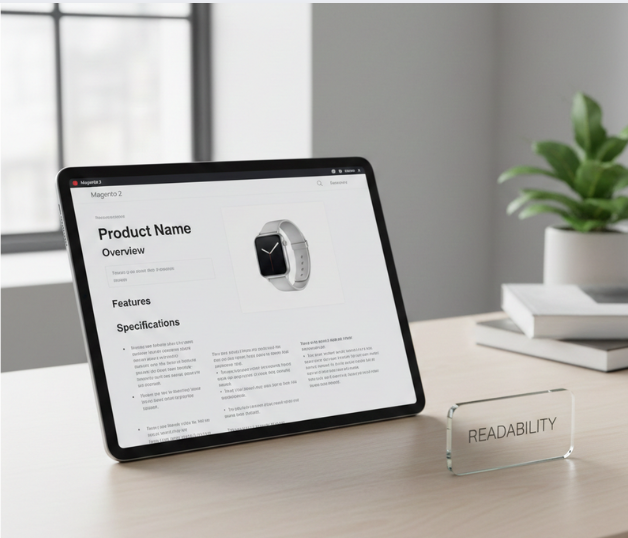
Content layout & readability UX
Content layout & readability UX
Magento layouts often face a conflict between “stuffing” SEO text and displaying products effectively for the user.
- Above-the-Fold Content: Users should see the product name, price, and buy button immediately without scrolling. Instead of placing long SEO texts at the top, use a short description and move the detailed SEO content to the bottom of the category page.
- Scannability: Use Heading tags (H1, H2, H3), bullet points, and white space to break up long text blocks. Accordions for technical specifications are great for saving space, provided the HTML remains visible to Google’s bots.
Interaction & engagement signals
Google rewards websites that keep users engaged for longer periods and encourage deeper interaction.
- Dwell Time & Scroll Depth: If a customer lands on a Magento product page and leaves immediately, it sends a negative signal. Increase scroll depth by integrating product videos and authentic customer reviews to build trust.
- CTA Visibility: Call-to-action buttons should be prominent but not intrusive. Avoid full-screen popups immediately upon entry, as this violates Google’s policies regarding “Intrusive Interstitials” and increases pogo-sticking rates.
UX signals across Magento page types that impact SEO
Product page UX
The product page is where the final intent to buy is captured. Image optimization and visual load perception are critical; using Next-Gen formats like WebP and ensuring images don’t “pop in” unexpectedly improves the perceived speed.
Product information hierarchy must be clear. Technical specifications, shipping details, and return policies should be easy to find. Review visibility serves as a major trust signal. Including schema markup for these reviews not only helps UX but also generates rich snippets in search results, increasing CTR.
Interaction friction at the “add-to-cart” stage can be a silent SEO killer. If the button doesn’t respond instantly or provides no feedback, users may assume the site is broken. Consistency across configurable and grouped products is also essential so that users aren’t confused when switching between sizes or colors.
Category page UX
Category pages are often the highest-ranking pages for broad keywords. Balancing SEO content with product grids is a delicate art. Many successful Magento stores place a short intro at the top and more detailed SEO content at the bottom of the page to keep products visible.
The debate between pagination and infinite scroll involves significant trade-offs. While infinite scroll can feel modern, it can make it difficult for search engines to find the footer or access deeper pages. For SEO, a “Load More” button or traditional pagination is generally safer.
Filter usability is another area where UX and SEO intersect. Filters should be fast and intuitive. However, ensuring that these filters do not create thousands of duplicate pages via URL parameters is a technical necessity to maintain SEO health.
Measuring UX signals in Magento
Tools to monitor UX performance
Google Search Console provides the most direct data via the Core Web Vitals and Performance reports. GA4 (Google Analytics 4) is essential for mapping engagement metrics like “key events” and “engagement rate” to specific UX behaviors.
PageSpeed Insights and Lighthouse are standard for diagnosing technical UX issues. For a deeper dive, heatmaps and session recordings (using tools like Hotjar or Microsoft Clarity) allow you to see exactly where users get stuck in your Magento store.
UX metrics that matter most for SEO
The metrics with the strongest correlation to organic performance are LCP, CLS, and Engagement Rate. While “Bounce Rate” is often cited, Engagement Rate in GA4 is a more accurate reflection of whether a user found what they were looking for.
Store owners should prioritize LCP and CLS, as these have the most direct impact on Google’s ranking algorithms. It is a common misinterpretation to look at page load time in isolation; “perceived performance” (how fast it feels to the user) is often more influential than the total time it takes for every single script to finish loading.
Common UX mistakes that hurt Magento SEO
One of the most frequent errors is using overloaded themes and unnecessary extensions. Every extension adds JavaScript and CSS, which slows down the site and creates potential for layout shifts. Intrusive popups and interstitials for newsletter signups often block the main content, leading to a “Poor” mobile usability rating in Search Console.
Poor mobile UX despite a responsive design is another pitfall. Simply making elements smaller for mobile doesn’t mean they are usable. Finally, UX-SEO conflicts often arise from design-first decisions where aesthetic beauty is prioritized over structural clarity and crawlability. These errors often cloud the underlying UX signals that influence Magento SEO that Google is trying to track.
How to optimize UX signals without hurting conversions
The perceived conflict between UX and CRO is usually a misunderstanding. Improving page speed and navigation benefits both search rankings and conversion rates. Where conflicts do arise, such as the placement of SEO text, testing is key.
A/B testing changes safely ensures that a UX “improvement” doesn’t accidentally tank your revenue. Use a prioritization framework, such as the PIE (Potential, Importance, Ease) model, to decide which UX-SEO improvements to tackle first. Quick wins often include optimizing images and fixing CLS issues, while long-term efforts involve refactoring the frontend using modern technologies like Hyvä or PWA Studio.
Conclusion
UX optimization is no longer a luxury for Magento store owners; it is a long-term SEO strategy. As search engines continue to prioritize the user’s journey, the line between “good design” and “good SEO” will continue to blur. By aligning UX, SEO, and business goals, you create a store that not only ranks higher but also provides a superior shopping experience that keeps customers coming back.
The final recommendation for Magento store teams is to move away from “set it and forget it” SEO. Regularly auditing your UX signals that influence Magento SEO and staying agile in your optimization efforts will ensure your store remains competitive in an increasingly experience-centric digital marketplace.