Layered navigation is a cornerstone of the modern e-commerce experience, especially for Magento stores with expansive catalogs. While it minimizes friction by letting customers filter by price, color, or brand, it remains a technical SEO “double-edged sword.” If not managed correctly, this UX-driven feature introduces architectural complexities that can severely undermine search engine performance, turning convenience into a source of duplicate content and crawl errors.
The primary risk lies in “index bloat,” where faceted navigation generates thousands of unique, thin URLs that drain Google’s crawl budget. Many store owners mistakenly assume search engines will naturally prioritize the right pages; however, maintaining visibility requires a deliberate technical framework. By following Magento SEO best practices with layered navigation, you can effectively balance high-performance UX with SEO integrity through smart URL parameter management, canonicalization, and crawl efficiency.
Nội dung bài viết
- 1 How layered navigation works in Magento
- 2 SEO risks caused by layered navigation
- 3 How Google treats faceted and filtered URLs
- 4 Core Magento SEO best practices for layered navigation
- 5 Ux vs SEO — finding the right balance
- 6 Advanced Magento layered navigation SEO tactics
- 7 Common Magento layered navigation SEO mistakes
- 8 Measuring SEO impact of layered navigation
- 9 Conclusion
In the context of Magento, layered navigation and faceted search refer to the sidebar menu that allows users to drill down into a product collection. Magento uses product attributes—designated as “Filterable with Results” to build these navigation blocks. This setup directly relates to the SEO Impact of configurable vs simple products in Magento when choosing filterable attributes.
When a user selects a filter, Magento typically generates a URL by appending query parameters to the base category URL. For example, a category URL like domain.com/mens-shoes.html might become domain.com/mens-shoes.html?color=blue&size=10. While the base category page is a static entity, these filtered URLs are dynamic.
The fundamental difference between a category URL and a filtered URL is their intent. Category URLs represent broad topics that you want to rank for in search engines. Filtered URLs represent specific segments of that category. Because Magento allows users to select multiple attributes simultaneously, the number of potential URL combinations grows exponentially. This “URL explosion” is the root cause of nearly all faceted navigation SEO problems.
SEO risks caused by layered navigation
If left unoptimized, Magento’s default layered navigation can trigger several critical SEO issues:
- Duplicate content: Multiple filter combinations often show the same or very similar product sets. For example, filtering by “Blue” then “Large” often displays the same products as filtering by “Large” then “Blue,” yet they may exist as two distinct URLs.
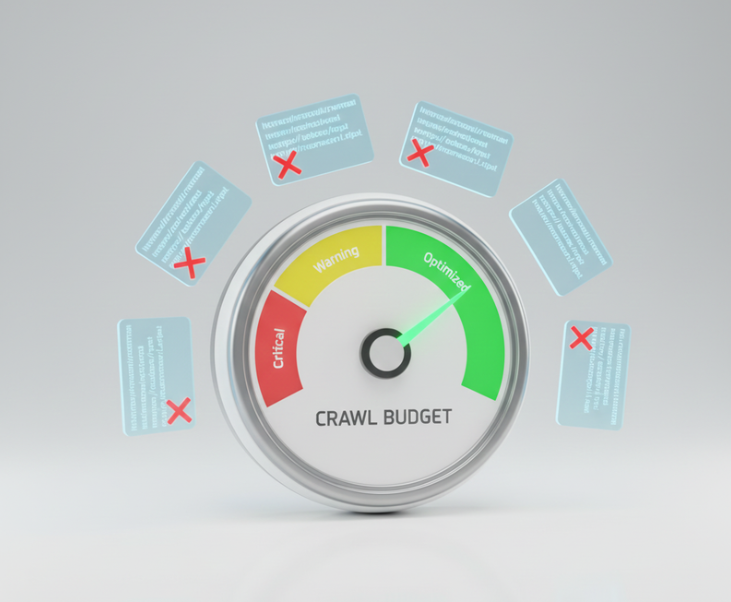
- Crawl budget waste: Search engine bots have a limited amount of time to spend on your site. If they spend that time crawling millions of low-value filter combinations, they may miss new product pages or updates to high-priority categories.
- Thin content: Deeply filtered pages (e.g., “Size 14, Pink, Under $10, Cotton”) may only contain one or two products. Google views these as thin content pages that offer little value to searchers.
- Index bloat and unstable rankings: When thousands of filtered URLs are indexed, the perceived quality of your site’s overall content decreases, which can lead to a sitewide suppression in rankings.
- User-generated URL variations: In some configurations, Magento allows filters to be applied in any order, creating unique URLs for every sequence. Google cannot determine which variation is the “correct” one to rank.
How Google treats faceted and filtered URLs
Google’s stance on faceted navigation is nuanced. They do not penalize sites for having layered navigation, as it is a standard UX requirement. However, they will ignore or de-prioritize pages they deem low-value.
Google considers a filtered page valuable if it targets a specific, high-intent search query that has significant search volume (e.g., “Black leather running shoes”). Conversely, pages created by combining multiple technical attributes (e.g., “Price $50-$60” + “SKU prefix”) are considered low-value.
It is vital to understand the difference between “crawlable” and “indexable.” A URL can be crawlable (meaning Google can follow the link to find it) but not indexable (meaning Google is told not to show it in search results). To maintain a healthy index, following Magento SEO best practices with layered navigation is the only way to signal to Google which versions of your pages are the most authoritative.
Core Magento SEO best practices for layered navigation
To master Magento SEO best practices with layered navigation, store owners must implement a multi-layered technical strategy. The goal is to provide a seamless filtering experience for users while strictly controlling how search engine crawlers interpret these dynamic pages.
Url structure & parameter management
Magento, by default, uses query parameters (e.g., ?color=blue&size=xl) to handle layered navigation. While functional, this can lead to “URL explosion.” To mitigate this, the order of parameters must be strictly normalized. Regardless of the sequence in which a user selects filters (e.g., “Blue” then “XL” or vice-versa), the system should always output a single, consistent URL string: ?color=blue&size=xl. This prevents search engines from discovering and indexing multiple versions of the same product set, which dilutes ranking power.
Furthermore, preventing infinite combinations is a technical necessity. We recommend limiting the “depth” of crawlable filters. For high-value attributes like ‘Category’ or ‘Brand’, you may allow crawlable URLs. However, for deep, low-value attributes—such as ‘Price Range’ or ‘Material’—it is best to use JavaScript-based filtering (AJAX) that does not update the URL or uses a hash fragment (#). This ensures that only the most relevant pages are accessible to bots, keeping your site’s architecture lean.
Canonicalization strategy
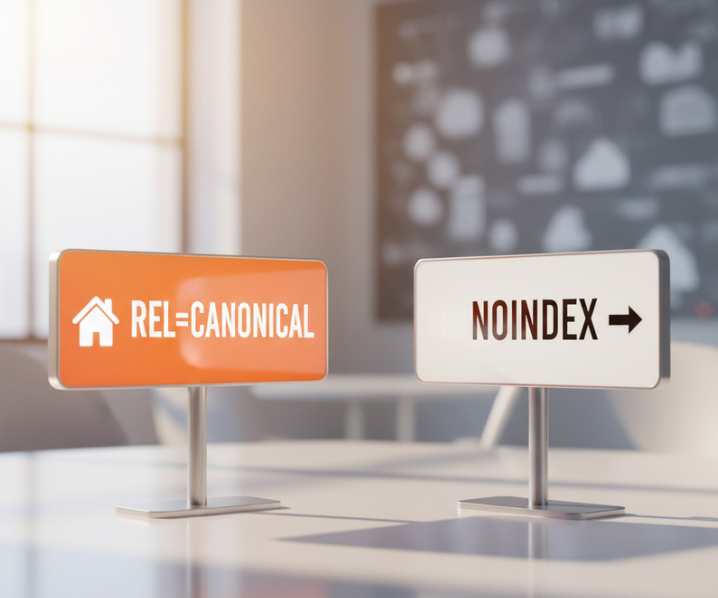
The rel=”canonical” tag is the most critical tool for managing Magento SEO best practices with layered navigation. You should correctly implement canonical tags in Magento 2 to point filtered views back to their root category. In a standard configuration, every filtered page should point its canonical tag back to the root category URL. For instance, domain.com/shoes.html?color=red should have a canonical tag pointing to domain.com/shoes.html. This signals to Google that the filtered view is merely a subset of the main category and that all “link juice” should be consolidated at the top level.
A frequent error in Magento setups is allowing filtered pages to be self-referencing. While self-referencing canonicals are vital for standard CMS pages, applying them to layered navigation creates thousands of competing pages. You should only enable self-referencing canonicals for specific “SEO-friendly” filter pages—those you have intentionally optimized with unique metadata to target long-tail keywords.
Index / noindex decisions
While canonical tags are suggestions, the noindex meta tag is a definitive directive. For pages created by filtering price, stock status, or sorting (e.g., ?dir=desc&sort=price), a noindex, follow tag is mandatory. This instruction tells search engines: “Do not show this specific filter combination in search results, but continue to crawl the links on this page to find individual products.”
This approach is superior to a simple block because it maintains the flow of internal link equity to your product detail pages (PDPs) without cluttering the Search Engine Results Pages (SERPs) with thin or duplicate content. For a comprehensive look at how to balance these directives, you can refer to this guide on Best practices for Magento filter optimization, which details the specific technical configurations needed for optimal bot behavior.
Crawl budget optimization
For enterprise-level Magento stores, meta tags alone are insufficient to manage crawl budget. You must use the robots.txt file to proactively block bots from entering “crawl traps.” By using Disallow rules for specific parameters that never need to be indexed—such as Disallow: /*?*price= or Disallow: /*?*limit=—you can save thousands of server requests per day.
Effective crawl budget management ensures that Googlebot spends its limited time on your high-priority pages (new products, top-selling categories) rather than wasting resources on millions of meaningless filter combinations. This technical hygiene is a cornerstone of any professional Magento SEO strategy.
Internal linking & SEO signals
Layered navigation significantly impacts your site’s internal link weight. If a category sidebar contains 50 filter links, each of those links “steals” a small portion of the link equity that should be supporting your primary navigation. To combat this, ensure that your breadcrumbs remain “logical” rather than “dynamic.” A breadcrumb should always point back to the static category path (Home > Shoes > Sneakers), even if the user has applied five different filters.
By keeping breadcrumbs and primary navigation static, you reinforce the authority of your main category nodes. This ensures that even as users explore deep into your catalog, the core SEO signals remain focused on the pages most likely to drive high-volume organic traffic.
Ux vs SEO — finding the right balance
Removing layered navigation to solve SEO problems is a mistake that will hurt your conversion rates. The goal is to make filters invisible to search engines while keeping them fully functional for users.
Modern UX patterns, such as using AJAX to update product lists without changing the URL, can be highly effective. However, if you use AJAX, you must ensure that your primary product pages are still reachable through a crawlable path (like a sitemap or a clean category structure). On mobile, where space is limited, ensuring that layered navigation is easy to toggle without creating layout shifts is essential for passing Core Web Vitals.
For competitive niches, you may want certain filter combinations to rank. For example, “Red Evening Dresses” might have high search volume.
- SEO-friendly indexed filter landing pages: Instead of a parameter-based URL, you can create a “virtual” category with a clean URL (/dresses/red-evening-dresses.html).
- Combining filters into curated SEO pages: Use extensions or custom logic to allow specific attribute combinations to have unique H1 tags, meta descriptions, and self-referencing canonicals.
- Using static URLs for high-intent filter combinations: By indexing only the top-tier filters (e.g., Brand or Color) and keeping the rest (e.g., Size or Material) non-indexable, you can capture long-tail traffic without suffering from index bloat.
- Indexing all filter combinations: This is the default state for many unoptimized Magento sites and leads to immediate ranking instability.
- Overusing noindex across category pages: Applying noindex too broadly can sometimes lead to Googlebot ignoring the products linked from those pages if they aren’t linked elsewhere.
- Broken canonicals on filtered URLs: Having a canonical tag that points to a 404 page or a redirect is a common technical error during site migrations or upgrades.
- Relying only on robots.txt for SEO control: Using robots.txt to block URLs that are already indexed will prevent Google from seeing the “noindex” tag, leaving the low-quality pages in the index indefinitely.
Tools to monitor performance
- Google Search Console: Use the “Pages” report to see how many “Excluded” URLs are being found. Check the “Crawl Stats” to see if bots are spending too much time on parameter URLs.
- Log file analysis for crawl behavior: This is the only way to see exactly how bots behave on your server. Look for high frequencies of hits on URLs containing ?.
- SEO crawlers (screaming frog, sitebulb): Use these tools to crawl your site and identify where canonical tags are missing or where noindex tags are failing.
Metrics that matter
- Indexed url count vs category count: If you have 500 categories but 50,000 indexed URLs, you have a major faceted navigation problem.
- Organic traffic to filtered URLs: Monitor if your “virtual” SEO pages are actually bringing in traffic.
- Crawl frequency and wasted crawl paths: A healthy site should see bots hitting a high percentage of “200 OK” status pages that are intended for indexation.
Conclusion
Mastering Magento SEO best practices with layered navigation is not a one-time task but a long-term strategy that requires a balance between user accessibility and technical restraint. By implementing a strict canonicalization strategy, managing your crawl budget, and selectively indexing only high-value attribute combinations, you can turn a potential SEO liability into a powerful tool for capturing long-tail search traffic.
For most Magento store teams, the key is to start with the “do no harm” approach: ensure that the vast majority of filter combinations are not cluttering Google’s index. Once the foundation is stable, you can then move toward advanced tactics like creating optimized landing pages for specific, high-intent attribute combinations. Whether you use native Magento settings or third-party SEO extensions, the principles of clarity, consistency, and crawl efficiency remain the same. To maintain peak performance, always prioritize Magento SEO best practices with layered navigation as your catalog scales and evolves.