Search engine optimization (SEO) remains one of the most powerful strategies for driving traffic, increasing conversions, and growing revenue for Magento stores. However, as Magento stores grow in size and complexity, managing SEO effectively becomes more challenging. From technical configurations and site architecture to product content and image optimization, even small issues can impact search rankings and user experience.
In 2026, SEO is more competitive than ever. Google continues to prioritize mobile-first experiences, fast-loading pages, secure websites, and high-quality content. For Magento store owners and developers, a comprehensive SEO audit is essential to identify gaps, fix issues, and ensure your store performs at its best in search results.
This post provides a step-by-step Magento SEO audit checklist covering technical SEO, on-page optimization, content quality, image SEO, mobile-friendliness, security, and analytics. By following this guide, you can systematically evaluate your store, implement actionable improvements, and maintain long-term SEO success.
Nội dung bài viết
Website Crawlability & Indexing
Ensuring that search engines can efficiently crawl and index your Magento store is the foundation of any successful SEO strategy. If your pages are not discoverable or properly indexed, even the best content and products will fail to rank. In this section, we focus on the critical elements of crawlability and indexing for Magento stores.
Check robots.txt for correct allow/disallow rules
The robots.txt file tells search engines which parts of your site to crawl or avoid. Magento generates a default robots.txt, but it often requires optimization:
Verify disallowed paths: Ensure sensitive or duplicate pages (like admin pages, checkout pages, or internal search results) are blocked. For example:
Disallow: /checkout/
Disallow: /customer/
- Allow critical pages: Make sure all product, category, CMS, and blog pages are allowed for crawling.
- Magento tip: Access Content → Design → Configuration → Search Engine Robots in the backend to edit robots.txt safely.

Ensure XML sitemap is generated via Magento and submitted to Google Search Console
An XML sitemap helps search engines discover and index your pages more efficiently. Magento 2 includes a built-in sitemap generator, which you should configure and maintain:
- Go to Marketing → SEO & Search → Sitemap to create and schedule sitemaps.
- Include all key URLs: products, categories, CMS pages, and blog posts.
- Submit the sitemap in Google Search Console and monitor coverage reports for indexing issues.
- Best practice: Update the sitemap automatically whenever new products or categories are added.
Magento stores often generate multiple URLs for the same content due to layered navigation, sorting, and pagination. Canonical tags indicate the preferred URL to search engines, avoiding duplicate content penalties:
- Products & Categories: Ensure every product and category page has a self-referencing canonical tag.
- Filtered or layered navigation pages: Apply canonical tags pointing to the main category URL or use “noindex” where appropriate.
- Magento tip: Navigate to Stores → Configuration → Catalog → Search Engine Optimization and enable canonical tags for categories and products.
Additional Tips:
- Regularly audit Google Search Console for crawl errors, coverage issues, or duplicate content warnings.
- Check the site for broken links or orphan pages, which can block crawling.
- Ensure your store’s navigation is logical and shallow enough (3–4 clicks from the homepage) to help search engines discover all pages.
By systematically checking robots.txt, sitemaps, and canonicalization, Magento store owners can ensure search engines properly crawl and index their entire store, setting a solid foundation for on-page and off-page SEO improvements.
A well-structured site architecture is crucial for both user experience and SEO. For Magento stores, an organized hierarchy of categories, subcategories, and products ensures that search engines can efficiently crawl your pages while helping customers navigate your store seamlessly. Poor architecture can lead to indexing issues, diluted link equity, and lost rankings.
Audit category, subcategory, and product URL structure for SEO-friendliness
Magento automatically generates URLs based on category and product names, but these URLs may not always be optimized. Consider the following:
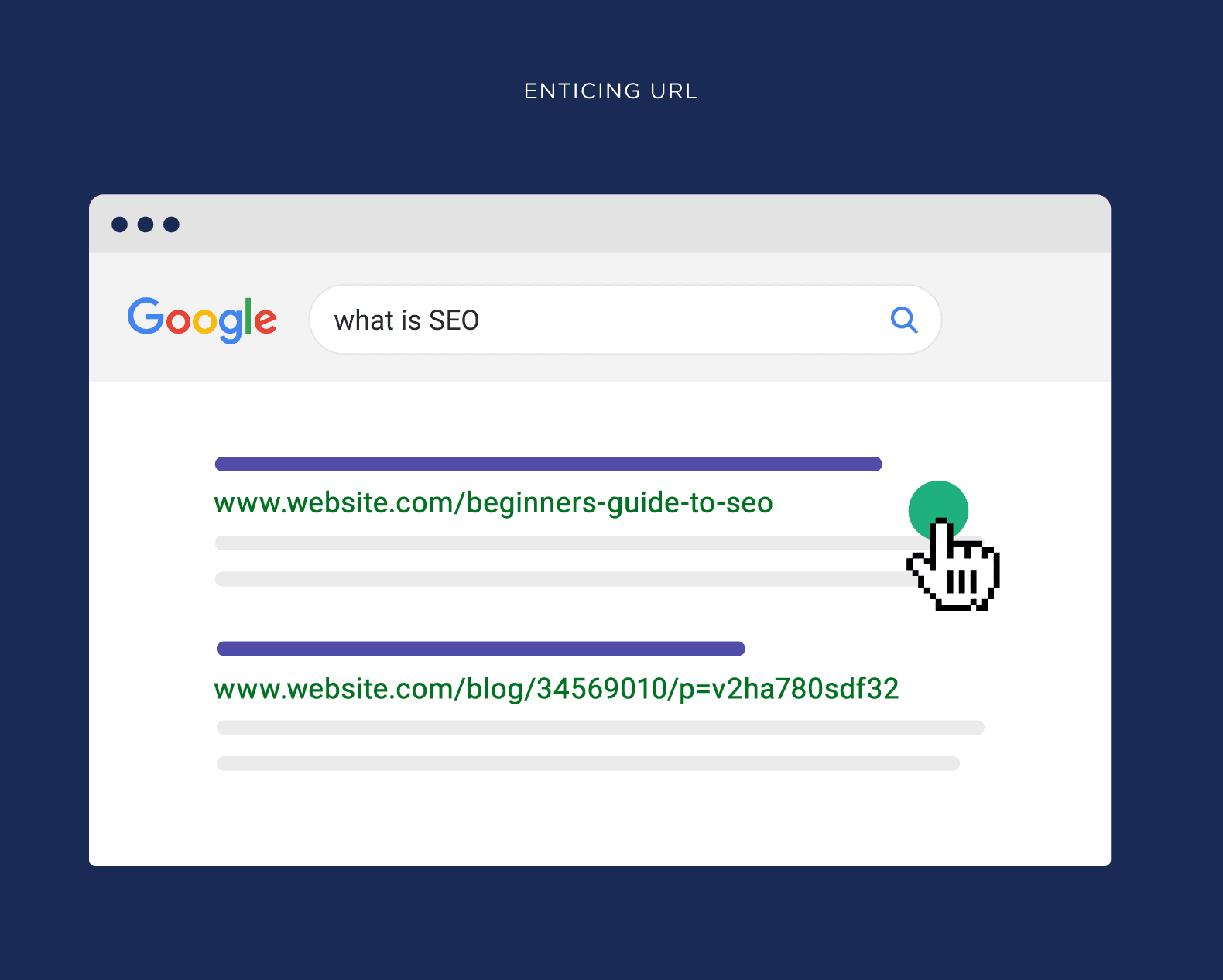
- Keep URLs short, descriptive, and keyword-rich:
- Good: www.example.com/mens-shoes/running-shoes
- Avoid: www.example.com/catalog/product/view/id/12345
- Use hyphens to separate words and avoid underscores or unnecessary parameters.
- Enable “Use Categories Path for Product URLs” in Stores → Configuration → Catalog → Search Engine Optimization if it improves logical hierarchy.
- Consistency is key: Maintain uniform naming conventions across similar products and categories.
Breadcrumbs not only improve navigation for users but also help search engines understand your site’s hierarchy:
- Ensure breadcrumbs reflect your category structure rather than just the last visited page.
- Enable breadcrumb schema markup in Magento to enhance rich snippets in search results.
- Position breadcrumbs consistently near the top of product and category pages for clarity.
Magento’s layered navigation is excellent for user experience, but can generate multiple URLs for the same category with different filter parameters. This can confuse search engines and dilute SEO value:
- Canonical tags: Point filtered pages back to the main category URL.
- “Noindex” for low-value filters: For filters that create thin or duplicate content, consider applying a “noindex” tag.
- Limit crawlable parameters: Use Google Search Console or Magento settings to block unnecessary URL parameters from being indexed.
Additional Tips:
- Keep your site hierarchy shallow: ideally, every page should be reachable within 3–4 clicks from the homepage.
- Regularly audit your site with a crawler (like Screaming Frog) to detect broken links, deep pages, or duplicate URLs.
- Consider using Magento SEO extensions to manage canonical tags, structured breadcrumbs, and layered navigation rules efficiently.
A clean and logical site architecture ensures that both users and search engines can navigate your Magento store effectively, helping boost indexing, distribute link equity, and avoid duplicate content issues caused by filtered pages.
Pagination & Infinite Scroll
For Magento stores with large product catalogs, proper handling of pagination and infinite scroll is essential for both SEO and user experience. Incorrect implementation can lead to duplicate content, poor indexation, and diluted link equity.
Ensure proper indexing of paginated category pages
Paginated category pages divide large product lists into multiple pages, such as category?page=2. While pagination improves user experience, search engines may treat these pages as separate content if not handled correctly:
- Check that all paginated pages are crawlable if they provide unique value, such as additional products or sorting options.
- Avoid thin content: If the paginated page has minimal unique content, consider consolidating it with the main category page.
- Magento tip: Use built-in pagination settings under Stores → Configuration → Catalog → Catalog → Frontend to manage the number of products per page.
Rel=”next” and rel=”prev” tags signal to search engines that paginated pages belong to a series. This helps consolidate link equity and prevents duplicate content issues:
- Implement rel=”next”/”prev” on paginated categories so that Google understands the relationship between page 1, page 2, etc.
- Verify implementation: Use tools like Screaming Frog or inspect page source to ensure the tags are present.
- Magento tip: Many modern Magento themes include rel=”next”/”prev” automatically. If not, consider a lightweight extension or custom code.
Review infinite scroll settings in Magento for SEO compatibility
Infinite scroll can improve user engagement by loading more products as the user scrolls, but it may prevent search engines from crawling all products if not implemented properly:
- Ensure paginated URLs are still accessible: Use “Load More” buttons that link to standard paginated URLs, allowing search engines to crawl all products.
- Maintain canonicalization: Infinite scroll should not generate duplicate URLs; canonical tags should point to the main category page when necessary.
- Lazy loading images correctly: Ensure product images load for SEO purposes so that Google can index them.
- Magento tip: Some Magento extensions for infinite scroll provide SEO-friendly fallback links and structured pagination, which are preferable to purely JavaScript-based implementations.
Additional Tips:
- Regularly test paginated and infinite scroll pages in Google Search Console to ensure proper indexing.
- Avoid blocking paginated URLs in robots.txt unless they provide no SEO value.
- Monitor user engagement metrics to evaluate whether infinite scroll improves conversions without harming SEO.
Properly handling pagination and infinite scroll ensures that all your products are discoverable, link equity is preserved across category pages, and your Magento store maintains strong SEO performance without risking duplicate content penalties.
Content Quality & Optimization
High-quality content is essential for both SEO and user experience on Magento stores. Optimized product, category, CMS, and blog content helps search engines understand your store, improves rankings, and encourages conversions. In 2026, content optimization should focus on uniqueness, keyword targeting, internal linking, and engagement.
Evaluate Product Descriptions for Uniqueness and Keyword Targeting
Product pages are the core of a Magento store, and duplicate or thin descriptions can harm SEO:
- Uniqueness: Ensure each product description is unique, even for similar items. Avoid copying manufacturer-provided content directly.
- Keyword targeting: Use relevant keywords naturally in titles, descriptions, and meta tags. Focus on primary keywords for the product and secondary terms for features, benefits, and specifications.
- Magento tips:
- Use the Product Description and Short Description fields in Catalog → Products.
- Include key product features in bullet points for better readability and featured snippet opportunities.
- Add structured data for products (price, availability, rating) to enhance search results.
- Use the Product Description and Short Description fields in Catalog → Products.
Audit Category and CMS Page Content Depth and Internal Linking
Category pages and CMS pages provide context to both users and search engines:
- Content depth: Ensure each category page has sufficient text to explain the product range, benefits, or use cases. Avoid empty or thin category pages.
- Internal linking: Link to relevant products, subcategories, and related CMS pages to distribute link equity and improve indexation.
- Magento tips:
- Edit category content via Catalog → Categories → Content.
- Add CMS blocks or banners with links to highlight popular products or promotions.
- Use descriptive anchor text for internal links to improve topical relevance.
- Edit category content via Catalog → Categories → Content.
Check Blog Content for Topical Relevance and Engagement
Magento’s CMS blog or integrated blog extension can drive traffic, educate users, and support SEO:
- Topical relevance: Blog posts should address customer needs, seasonal trends, tutorials, or product use cases.
- Engagement metrics: Monitor average time on page, comments, and social shares to evaluate performance.
- SEO optimization: Include target keywords, meta titles, descriptions, headings, and alt text for images.
- Magento tips:
- Use categories and tags for blog posts to organize content and improve internal linking.
- Integrate links to relevant products or categories within blog content.
- Update older posts to maintain relevance and improve rankings.
- Use categories and tags for blog posts to organize content and improve internal linking.
Additional Tips:
- Use a content checklist for all new product and category pages, including SEO metadata, headings, images, and internal links.
- Avoid keyword stuffing; prioritize natural readability and conversion-focused content.
- Regularly audit content with tools like Screaming Frog, Ahrefs, or SEMrush to identify thin pages or missing metadata.
By maintaining high-quality, unique, and keyword-optimized content across products, categories, CMS pages, and blogs, Magento stores can improve search rankings, enhance user experience, and drive higher conversions.
To streamline content optimization and metadata management, consider using a Magento SEO extension. For example, the Magento 2 SEO Extension by BSS Commerce allows you to:
- Automatically generate meta titles and descriptions based on templates.
- Manage canonical tags for products, categories, and filtered pages.
- Optimize URL structures, rich snippets, and sitemaps to save time and maintain consistent SEO standards.
Optimize Images (WebP, Lazy Loading, Compression)
Images play a crucial role in both user experience and search engine optimization for Magento stores. Properly optimized images can improve page load speed, increase organic visibility via image search, and enhance accessibility for all users.
Ensure All Images Have Descriptive Alt Text
Alt text helps search engines understand the content of images and improves accessibility for users with visual impairments:
- Product images: Include the product name, key features, and relevant keywords.
- Example: Men’s running shoes, breathable, size 10
- Example: Men’s running shoes, breathable, size 10
- Category images: Describe the category focus.
- Example: Men’s running shoes collection
- Example: Men’s running shoes collection
- Magento tips:
- Add alt text directly in the Image Alt field when uploading product or category images (Catalog → Products → Images and Videos).
- For CMS pages and static blocks, include alt attributes in the WYSIWYG editor or HTML view.
- Add alt text directly in the Image Alt field when uploading product or category images (Catalog → Products → Images and Videos).
Compress Images for Faster Load Times
Large image files increase page weight and negatively affect Core Web Vitals, especially LCP:
- Magento tools:
- Use built-in image resizing and optimization settings under Stores → Configuration → Advanced → Developer → Image Processing.
- Flush catalog image cache after changes (System → Cache Management → Flush Catalog Images Cache).
- Use built-in image resizing and optimization settings under Stores → Configuration → Advanced → Developer → Image Processing.
- Extensions: Consider image optimization modules that automatically compress and convert images to WebP/AVIF formats without quality loss.
- Additional tips: Use lazy loading for below-the-fold images to reduce initial page weight.
Use Keyword-Optimized Filenames
Descriptive filenames provide additional SEO signals and help image search rankings:
- Example: Instead of IMG1234.jpg, use mens-running-shoes-red.webp.
- Use hyphens to separate words; avoid underscores or spaces.
- Magento tip: Rename images before uploading, as Magento uses the uploaded file name in the image URL unless overridden by a URL rewrite or extension.
Additional Tips:
- Include structured data for product images to enhance rich snippets in Google search results.
- Regularly audit your image SEO using tools like Screaming Frog, Ahrefs, or SEMrush to identify missing alt text or oversized images.
- Combine image SEO with page speed optimization for maximum Core Web Vitals improvement.
By ensuring descriptive alt text, optimized filenames, and compressed images, Magento stores can improve search engine visibility, reduce page load times, and enhance both accessibility and user experience.
Page Speed & Performance
Page speed is a critical factor for both SEO and user experience. Magento stores often handle large product catalogs, high-resolution images, and multiple extensions, which can slow down load times. Optimizing performance ensures better search rankings, lower bounce rates, and higher conversion rates.
Analyze Core Web Vitals
Google’s Core Web Vitals measure user experience in terms of page loading, interactivity, and visual stability. For Magento stores, it’s essential to monitor:
- Largest Contentful Paint (LCP): Measures how quickly the main content of a page loads. Aim for LCP ≤ 2.5 seconds.
- Cumulative Layout Shift (CLS): Tracks unexpected layout shifts. Keep CLS ≤ 0.1 for stable pages.
- Interaction to Next Paint (INP): Measures overall page responsiveness by evaluating the delay between user interactions (clicks, taps, keyboard input) and the next visual update. Aim for INP ≤ 200 ms for a smooth interactive experience.
Magento Tips:
- Use tools like Google PageSpeed Insights, Lighthouse, or WebPageTest to analyze these metrics.
- Monitor high-traffic product and category pages first, as they impact overall SEO performance the most.
To better understand which SEO metrics matter most for Magento stores and how to track them effectively, you can explore our detailed guide on SEO metrics to track on Magento stores.
Minify CSS/JS and Enable Magento Caching
Reducing the size of CSS and JavaScript files can significantly improve load times:
- Minify CSS and JS: Remove unnecessary whitespace and comments.
- Go to Stores → Configuration → Advanced → Developer → JavaScript Settings (and CSS Settings).
- Set Minify JavaScript Files and Minify CSS Files to Yes.
- Save the configuration.
- Flush the cache: System → Cache Management → Flush Magento Cache.
- Go to Stores → Configuration → Advanced → Developer → JavaScript Settings (and CSS Settings).
- Enable Magento full-page caching: Helps reduce server response time for repeat visitors. Use Varnish cache for faster page delivery if supported by your hosting environment.
- Go to Stores → Configuration → Advanced → System → Full Page Cache.
- Set Caching Application to Built-in Cache or Varnish (if using a Varnish server).
- Configure TTL for public content as needed (default: 86400 seconds).
- Save the configuration and flush the cache.
- Go to Stores → Configuration → Advanced → System → Full Page Cache.
- Merge CSS/JS files carefully; test after enabling to avoid breaking frontend functionality.
- Navigate to Stores → Configuration → Advanced → Developer → JavaScript Settings (and CSS Settings).
- Set Merge JavaScript Files and Merge CSS Files to Yes.
- Save and flush cache.
- Navigate to Stores → Configuration → Advanced → Developer → JavaScript Settings (and CSS Settings).
- Use Varnish cache for faster page delivery if supported by your hosting environment.
Audit Server Response Time, CDN Usage, and Magento Extensions
Server performance and hosting setup greatly affect Magento speed:
- Server response time: Ensure TTFB (Time to First Byte) is under 200 ms. Upgrade hosting if necessary.
- Use a CDN: Distribute static files globally to reduce latency for international visitors.
- Review Magento extensions: Some poorly coded modules can slow down pages. Disable or optimize slow extensions.
- Monitor periodically: Use tools like GTmetrix or New Relic for ongoing performance tracking.
Additional Tips:
- Reduce the number of third-party scripts and tracking pixels where possible.
- Implement browser caching for static resources.
- Optimize fonts by using system fonts or font-display: swap for faster rendering.
By systematically analyzing Core Web Vitals, optimizing images, minifying resources, and auditing server performance, Magento store owners can ensure fast-loading pages that satisfy both search engines and users, ultimately boosting SEO and conversions.
HTTPS & Security
Website security is critical not only for protecting customer data but also for maintaining SEO performance. Google considers HTTPS a ranking factor, and unsecured or hacked sites can suffer penalties, loss of trust, and drops in traffic. For Magento stores, ensuring proper SSL implementation and timely security updates is essential.
Verify SSL Certificate Installation
SSL encrypts data between your server and users, securing sensitive information like customer accounts and payment details:
- Ensure your SSL certificate is valid, active, and not expired.
- Test SSL using tools like SSL Labs to confirm proper installation.
- Magento configuration:
- Go to Stores → Configuration → Web → Base URLs (Secure).
- Ensure Base URL for Secure uses https://.
- Set Use Secure URLs on Storefront and Use Secure URLs in Admin to Yes.
- Save the configuration and flush caches (System → Cache Management → Flush Magento Cache).
- Enable automatic HTTP-to-HTTPS redirects via .htaccess or server configuration.
Check for Mixed Content Errors
Mixed content occurs when HTTPS pages load resources (images, CSS, JS) over HTTP, which can break pages and harm SEO:
- Identify mixed content using browser developer tools or online scanners.
- Update resource URLs to HTTPS in:
- CMS pages and static blocks
- Theme templates and CSS files
- Extensions or third-party integrations
- Magento tip: Use the “Use Secure URLs in CMS” and ensure all media and static files are served via HTTPS.
Ensure Magento Security Patches and Extensions Are Up-to-Date
Unpatched Magento versions or outdated extensions can expose vulnerabilities, malware, or malicious redirects, all of which negatively impact SEO:
- Always run the latest Magento version (2.4.x or higher).
- Apply security patches immediately upon release.
Example via Composer:
composer require magento/product-community-edition <latest_version>
php bin/magento setup:upgrade
php bin/magento cache:flush
- Audit installed extensions:
- Remove unsupported or abandoned modules
- Update regularly to maintain security and compatibility
- Monitor for vulnerabilities using Magento Security Scan Tool or third-party services.
- Check Google Search Console for any security issues or hacked site notifications.
Additional Tips:
- Enforce strong password policies for admin users and enable two-factor authentication (2FA).
- Backup your Magento store regularly to recover quickly in case of a breach.
- Combine HTTPS and security best practices with fast-loading, mobile-friendly pages to maximize SEO benefits.
By implementing HTTPS correctly, eliminating mixed content, and keeping Magento core and extensions up-to-date, your store will protect customer data, maintain SEO authority, and prevent ranking drops caused by security issues.
Conclusion
Conducting a thorough SEO audit is essential for Magento stores that want to stay competitive in 2026. From technical optimization and site architecture to content quality, image SEO, and mobile-friendly security, every element plays a critical role in improving search rankings, driving organic traffic, and boosting conversions.
By systematically reviewing your Magento store using this checklist, you can:
- Ensure search engines can efficiently crawl and index all important pages.
- Optimize Core Web Vitals for faster, smoother, and mobile-friendly user experiences.
- Maintain secure, HTTPS-compliant pages to protect both SEO and customer trust.
- Improve content quality across products, categories, CMS pages, and blogs to engage users and maximize conversions.
- Leverage Magento-specific features and extensions for metadata management, image optimization, structured data, and caching.
Remember, SEO is an ongoing process. Regular audits, performance monitoring, and timely updates to Magento core, extensions, and content will help your store maintain high rankings, attract more qualified traffic, and deliver an exceptional user experience.
Start implementing this checklist today, and position your Magento store for sustained SEO success in 2026 and beyond.