In the fast-evolving world of e-commerce, tackling Magento duplicate content remains a top priority for store owners. As of 2026, search engines like Google prioritize unique, high-quality pages, and duplicate issues can tank your rankings overnight. This guide dives deep into identifying, preventing, and fixing Magento duplicate content, ensuring your store thrives in competitive SERPs.
Whether you’re dealing with layered navigation glitches or URL parameter chaos, we’ve got you covered. Drawing from the latest Magento 2.4+ updates and SEO trends, this 2025-optimized resource will boost your site’s authority. Let’s eliminate those pesky duplicates and reclaim your organic traffic.
Nội dung bài viết
- 1 Why Magento stores are more prone to duplicate content
- 2 Why Duplicate Content Is A Serious SEO Problem For Magento Stores
- 3 Common Causes of Duplicate Content in Magento 2
- 4 How To Fix Duplicate Content In Magento
- 5 How To Detect Duplicate Content In Magento
- 6 FAQs on Magento Duplicate Content
- 7 Conclusion
Why Magento stores are more prone to duplicate content
Magento is a highly flexible eCommerce platform, and that flexibility is the main reason duplicate content issues are common.
Magento stores are more prone to duplicate content because:
- A single product can belong to multiple categories, each generating a different URL
- Layered navigation creates multiple parameter-based URLs for the same product list
- Sorting, pagination, and filtering options generate new URLs automatically
- The same page may be accessible via HTTP and HTTPS, or with and without www
- Default configurations do not always enforce strict canonical rules
In many cases, Magento is technically doing what it is designed to do. The SEO issue arises when search engines are allowed to crawl and index all these variations without guidance.
Without proper canonical URLs, redirects, and index control, Magento can unintentionally create hundreds or thousands of duplicate pages.
Why Duplicate Content Is A Serious SEO Problem For Magento Stores
Magento duplicate content doesn’t just annoy bots—it cascades into real losses. Rankings dilute as equity spreads thin, pushing core pages down. In 2025, with zero-click searches rising, this hits conversions hard.
- Search Engine Ranking Dilution: Google allocates signals across duplicates, weakening your top pages. A category with 50 filter variants? Authority fragments 50 ways. Studies peg average drops at 15-20% for affected sites.
- Crawl Budget Waste: Bots exhaust limits on redundancies, ignoring fresh content. Large Magento catalogs burn budgets fast. Optimized sites crawl 2x efficiently post-fix.
- User Experience Degradation: Duplicates confuse navigation, spiking bounce rates. Slow loads from bloated indexes frustrate shoppers. Core Web Vitals in 2025 penalize this further.
- Conversion Rate Reduction: Lower visibility means fewer qualified visits. E-commerce duplicates slash traffic by 10-15%, per recent audits. Lost sales follow.
- Increased Server Load: More pages to render and cache strain resources. High-traffic peaks crash unoptimized stores. Fixes lighten loads by 20-30%.
- Brand Reputation Impact: Perceived as spammy, duplicates erode trust. Review sites flag penalized stores, harming long-term equity.
Common Causes of Duplicate Content in Magento 2
Magento 2’s robust features, while powerful, breed duplicates if unchecked. Dynamic URL generation for user preferences is a prime offender.
Product Variations and Configurable Products
Configurable products in Magento create child SKUs for options like size or color. Each variant gets its own URL, but content often overlaps heavily. For instance, a t-shirt in red (/tshirt-red) and blue (/tshirt-blue) share the same description, resulting in near-duplicates.
This Magento URL parameter duplicate issue spikes during imports. Without canonicals, Google views them as separate entities, splitting backlinks. In 2025, with AI-driven personalization, variants multiply faster, demanding vigilant management.
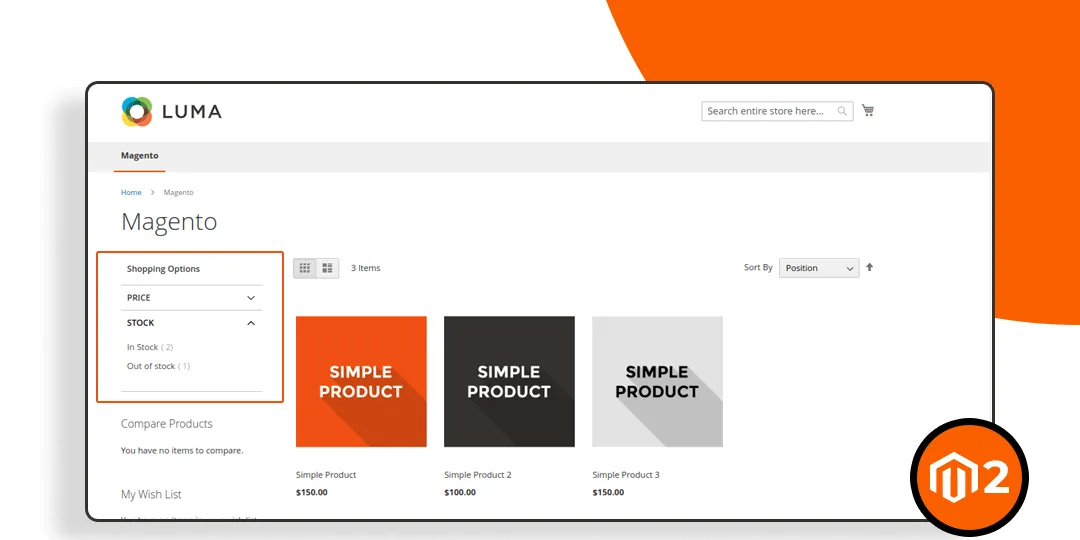
Deep category trees in Magento lead to overlapping pages. A product appearing in /electronics/phones and /gadgets/smartphones creates redundancy. Layered navigation adds fuel, appending filters like ?price=100-200.
These layered navigation SEO pitfalls generate hundreds of variants per category. Users filtering by brand or rating unknowingly spawn low-value duplicates. Recent Magento updates encourage SEO-friendly URLs, but defaults still risk explosion.
URL Parameters from Sorting and Pagination
Sorting options (?sort=price-asc) and pagination (?p=2) turn one category into dozens. Each iteration holds similar content, just reordered or subsetted. This is a classic partial duplicate trap.
In high-traffic stores, these absorb crawl budget without value. 2025 best practices stress noindexing beyond page one. Magento’s catalog search amplifies it, querying internal results.
For a deeper dive into handling pagination effectively and avoiding duplicate content issues, check out our guide on Magento pagination.
Session IDs and Tracking Parameters
Session IDs (?SID=abc123) tag URLs for logged-in users, creating unique but identical pages. Analytics trackers like UTM parameters compound this. They’re invisible to users but scream “duplicate” to bots.
Stripping them via .htaccess is standard, yet overlooked in rushed setups. For Magento 2, this ties into privacy regs like GDPR, making clean URLs essential.
WWW vs. Non-WWW and HTTP vs. HTTPS Versions
Basic yet brutal: Your homepage at http://example.com vs. https://www.example.com duplicates everything. Inconsistent configs in Magento’s base URL settings cause this.
2025’s HTTPS mandate makes HTTP relics risky. Redirects fix it, but unaddressed, it halves your domain authority.
Duplicate Product Descriptions or CMS Pages
Bulk imports often paste identical metas or bodies across products. CMS pages, like duplicated policies, fare no better. Human error or template reuse fuels this.
Audits catch it, but prevention via unique content workflows is wiser. This ties into broader Magento content audit needs.
How To Fix Duplicate Content In Magento
After identifying duplicate content issues, the next step is to send clear signals to search engines about which URLs should be indexed and ranked. In Magento, this is achieved through a combination of canonical URLs, redirects, parameter control, and content management. Below are the most effective and realistic fixes, structured for practical implementation.
Configure Canonical URLs Correctly
Canonical URLs tell search engines which version of a page is the preferred one when multiple URLs contain the same or very similar content. In Magento, canonical configuration is essential because products and categories can be accessed through multiple paths.
Steps to configure
- In Magento Admin, go to Stores > Configuration > Catalog > Catalog
- Under Search Engine Optimization:
- Enable Use Canonical Link Meta Tag For Products
- Enable Use Canonical Link Meta Tag For Categories
- Review frontend page source to confirm:
- Product pages reference the base product URL
- Category pages reference their main category URL
Canonical URLs should point to clean, non-parameterized URLs whenever possible.
However, Magento does not provide native canonical support for layered navigation, filtered pages, sorting options, or parameter-based URLs. As a result, navigation-driven URLs may still be indexed separately and cause duplicate content issues. To control canonicals for these pages, a dedicated SEO extension is required. Solutions such as the BSS Commerce SEO extension for Magento 2 allow you to assign canonical URLs to filtered and navigation pages, manage parameter-based indexation, and ensure that SEO value is concentrated on core category pages instead of being spread across multiple URL variations.
Fix Duplicate URLs With URL Rewrite And 301 Redirects
Canonical tags suggest preference, but redirects remove duplication at the source. Redirects are especially important for protocol, domain, and legacy URL issues that create completely separate URL versions.
Redirects help:
- Consolidate ranking signals
- Prevent search engines from crawling unwanted URLs
- Improve crawl efficiency
Steps to configure
- Ensure only one version of the site is accessible:
- HTTPS instead of HTTP
- WWW or non-WWW (not both)
- Set server-level 301 redirects for protocol and hostname consistency
- In Magento Admin:
- Go to Marketing > SEO & Search > URL Rewrites
- Identify unnecessary or conflicting rewrites
- Remove or correct outdated rewrite rules
Redirects should be used for permanent duplicates, not for filtered or temporary URLs.
Layered navigation is one of the biggest sources of duplicate content in Magento. Filters, sorting, and attributes generate multiple parameter-based URLs that often display the same product lists.
Steps to configure
- Identify common parameters created by:
- Filters (color, size, price)
- Sorting and view modes
- Pagination combined with filters
- Apply one or more of the following:
- Use noindex, follow for filtered pages
- Block unnecessary parameters via robots.txt where appropriate
- Verify that canonical URLs on filtered pages point to the main category page
For a comprehensive approach to optimizing Magento layered navigation and preventing duplicate content, see our full guide on Magento SEO best practices with layered navigation.
Optimize Pagination SEO
Pagination creates multiple pages with overlapping content, especially on category and search result pages. While pagination is necessary for usability, it can introduce duplication if not handled correctly.
Poor pagination handling may cause:
- Multiple pages ranking for the same terms
- Indexation of low-value pages
- Diluted internal linking signals
How to do (strategy and configuration steps)
Ensure pagination pages are crawlable but do not compete with the main category page in search results.
Steps to configure
- Keep pagination URLs accessible for crawling
- Avoid blocking pagination entirely unless required
- Use canonical URLs carefully: Do not canonicalize all paginated pages to page 1 blindly
- Evaluate whether deeper pagination pages should be indexed, or set to noindex, follow based on content value
Pagination SEO should balance user experience, crawl efficiency, and ranking focus.
Avoid Duplicate CMS Content
CMS pages and static blocks can also create duplicate content when reused without modification. This often happens with:
- Repeated marketing text
- Similar landing pages targeting different URLs
- Copied content across store views
This type of duplication reduces content uniqueness and weakens topical relevance.
How to do (strategy and configuration steps)
Ensure each CMS page serves a unique purpose and keyword intent, even when layouts are reused.
Steps to configure
- Audit CMS pages with similar titles and content
- Consolidate pages that serve the same intent
- Rewrite content to:
- Address a distinct topic
- Target a unique keyword theme
- Use static blocks carefully: Avoid placing large identical text blocks across many pages
CMS content should support SEO goals, not dilute them.
How To Detect Duplicate Content In Magento
Detecting duplicate content is a critical first step before applying any SEO fixes. The goal is to identify which URLs are indexed, why they exist, and how search engines interpret them, rather than relying on assumptions. Below are the most practical and reliable detection methods for Magento stores.
Using Google Search Console
Google Search Console shows how Google actually crawls, indexes, and evaluates your Magento site, not how you think it should behave. This makes it the most trustworthy source for detecting real duplicate content problems that affect SEO performance.
Through indexing and canonical reports, you can identify:
- URLs that Google considers duplicates
- Pages excluded from indexing due to duplication
- Canonical conflicts caused by Magento URL variations
This helps you prioritize fixes based on real search engine behavior, not just technical theory.
How to do: Use Google Search Console to analyze index coverage and canonical signals, focusing on excluded URLs and duplication-related statuses.
- Open Google Search Console and select the correct Magento property (domain or URL-prefix).
- Go to Pages (Indexing section).
- Review the following status types carefully:
- Duplicate without user-selected canonical
- Alternate page with proper canonical tag
- Excluded by ‘noindex’ tag (to confirm intentional exclusions)
- Click into Duplicate without user-selected canonical to see affected URLs.
- Compare:
- The listed URL
- Google’s selected canonical
- Your intended canonical version
If Google is selecting a different canonical than expected, this indicates duplicate URLs without clear signals, often caused by category paths, parameters, or pagination.
Using SEO Crawling Tools
SEO crawling tools allow you to simulate how search engines crawl your Magento site at scale. They are essential for detecting:
- Large volumes of duplicate URLs
- Pages with highly similar or identical content
- Parameter-generated URLs that Google may crawl
This method is especially useful for medium to large Magento stores, where manual checks are not realistic.
How to do: Crawl the site as a search engine would, then analyze URL patterns and content similarity to uncover duplication sources.
- Set up a crawl using a standard SEO crawler (desktop-based or cloud-based).
- Allow crawling of: Parameterized URLs, Pagination pages, and Filtered category URLs
- After the crawl completes, analyze:
- Duplicate page titles and meta descriptions
- Identical H1 tags across different URLs
- Pages with very high content similarity percentages
- Group URLs by:
- Category path variations
- Query parameters (such as sort, filter, page)
- Identify patterns where the same product or category content appears under multiple URLs.
This analysis helps you understand whether duplication is caused by structure, configuration, or navigation behavior, which directly informs how to fix it.
Manual Checks Inside Magento
Not all duplicate content issues are visible in external tools. Manual checks inside Magento help you validate the root causes at the platform level, ensuring that detected duplicates are not configuration mistakes or content management issues.
This step is especially important for:
- Product and category URL generation
- Category-product relationships
- CMS content reuse
Manual validation prevents incorrect fixes that could break site structure or internal linking.
How to do: Review how Magento generates URLs and assigns products to categories, focusing on scenarios where one entity can be accessed through multiple paths.
- In the Magento Admin, open Products and select a product.
- Check the Categories section to see how many categories the product is assigned to.
- Identify whether the product URL changes based on category path.
- Navigate to Catalog > Categories and review category URL keys for duplication or overlap.
- Manually visit:
- The product URL via different category paths
- Category pages with sorting, filtering, and pagination applied
- Compare URLs and confirm whether the content remains the same.
If the same content is accessible through multiple URLs without clear canonical control, this confirms an internal duplicate content issue caused by Magento structure.
FAQs on Magento Duplicate Content
- What are canonical URLs in magento 2, and how do I add them? Canonical URLs signal the main version. Add via admin config: Yes for categories/products. Custom XML for specifics.
- How do I handle duplicate magento CMS pages? Merge content, 301 redirect via URL Rewrites. Audit first.
- What types of duplicate content should I watch for in Magento 2? Params, variations, mirrors. Full exact, partial similar.
- Will Google penalize my e-commerce site for duplicate content? No direct hit, but dilution, yes. Fix proactively—no penalties if intentional.
- How do I add a canonical URL to a specific page in Magento 2? Layout XML or page edit: Insert tag. Extensions for ease.
Conclusion
Mastering magento duplicate content management is essential for protecting your rankings and ensuring a clean, efficient store. By applying the right SEO strategies, you strengthen site authority and create a smoother shopping experience.