Optimizing a Magento store for search engines requires more than just keyword research and meta tags; it demands a technical foundation that prioritizes speed and reliability.
As Google’s Core Web Vitals become central to ranking, the role of a Content Delivery Network (CDN) has shifted from a luxury to a necessity.
This guide provides a detailed roadmap for implementing a CDN to maximize your Magento 2 store’s SEO potential.
Nội dung bài viết
Understanding why CDN setup matters for Magento SEO
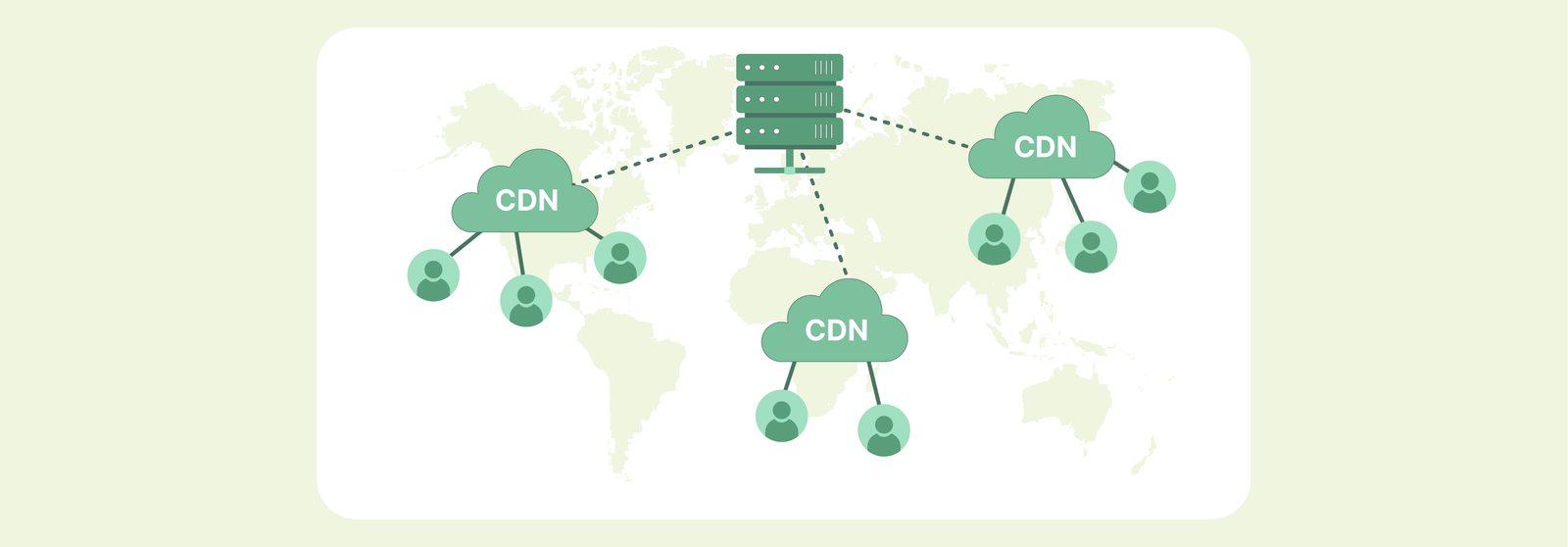
A Content Delivery Network (CDN) is a group of distributed servers that accelerates the delivery of your store’s content. For resource-heavy platforms like Magento, a CDN is essential because it directly impacts Core Web Vitals, specifically Largest Contentful Paint (LCP).
By serving heavy images and JavaScript from “edge” servers closer to the user, you drastically reduce latency and Time to First Byte (TTFB). This speed isn’t just for users; it improves crawl efficiency by freeing up origin server resources, allowing Googlebot to index your large product catalog faster without overloading your server.
- Handling Complexity: Magento serves high-resolution assets and complex code bundles that can overwhelm standard servers; a CDN acts as a buffer to maintain speed during traffic spikes.
- Ranking Confidence: Improving technical performance leads to “Good” status in Google’s Core Web Vitals reports, signaling high site quality to search engines.
- Behavioral SEO: Faster load times lead to lower bounce rates and higher dwell times, which are critical signals for ranking in competitive commercial queries.
- Infrastructure Health: Offloading static files ensures your primary server remains responsive for dynamic tasks like checkout and database queries.
While thin content is a structural issue where pages lack substantive information, a lack of a CDN is a performance issue that prevents even your best content from being crawled efficiently. By offloading the “heaviness” of Magento to a CDN, you ensure that Googlebot sees a fast, healthy site worthy of a top-tier ranking.
Learn more: Best Magento extensions to optimize core web vitals
How a CDN works with Magento architecture
To configure a CDN correctly, you must understand how Magento handles data. Magento distinguishes between static and dynamic content, and your CDN strategy must respect this distinction.
How Magento serves static vs dynamic content
Static content includes images, JavaScript, CSS, and fonts. These files do not change based on who is viewing the page. Dynamic content is the HTML generated by PHP, which includes personalized data like the shopping cart, customer name, and specific pricing.
A traditional CDN setup focuses on offloading the static content, while more advanced “Full Page Cache” (FPC) CDN setups can also cache the HTML.
CDN interaction with Magento Full Page Cache (FPC)
Magento 2 has a built-in FPC that stores rendered HTML in the database or Redis. When a CDN is introduced, it sits in front of the FPC. The ideal flow is: Browser -> CDN Edge -> (if not cached) -> Magento FPC -> (if not cached) -> PHP/Database. For SEO, you want the CDN to handle as much of this as possible to keep the origin server quiet.
Request flow: browser → CDN → Magento server
When a user (or Googlebot) requests a page, the CDN intercepts the request. If the requested asset (like a product image) is already at the edge, it is served immediately. If not, the CDN fetches it from your Magento server, stores a copy, and then serves it.
For SEO, this ensures that even users on the other side of the world from your server experience “local” speeds.
Where SEO issues typically occur in this flow
Common pitfalls include “Cache Misses” where the CDN constantly has to ask the server for files, or “Mixed Content” errors where the CDN serves files over HTTP while the site is HTTPS. Both lead to poor user experience and ranking penalties.
Step-by-step to set up Magento CDN for SEO performance
Preparing your Magento store before CDN configuration
Before flipping the switch, you need a stable baseline. Attempting to fix speed issues with a CDN on a broken site will only hide the symptoms, not the cause.
Checking current site speed and Core Web Vitals baseline
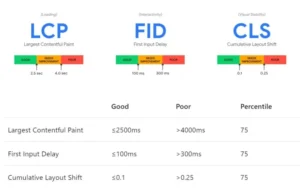
Use tools like PageSpeed Insights and Chrome User Experience Report (CrUX) to document your current LCP, FID, and CLS scores. This data is vital for validating your ROI after the configuration is complete.
Verifying HTTPS, canonical URLs, and base URLs
Ensure your site is fully secure. SEO suffers if the CDN introduces non-secure links. Check your Magento configuration under Stores > Configuration > General > Web to ensure your Base URLs are correct and that “Use Secure URLs on Storefront” is set to Yes.
Cleaning existing cache and static content
Run the following commands to ensure you are starting from a clean slate: php bin/magento cache:clean php bin/magento cache:flush
Ensuring production mode is enabled
Magento should never be in “developer” or “default” mode on a live site. Production mode enables static file symlinking and improves performance, which the CDN will then amplify. Use php bin/magento deploy:mode:set production.
Choosing a CDN for Magento SEO performance
Not all CDNs are created equal. Some offer basic file hosting, while others provide intelligent “Magento-aware” features.
Key CDN features that matter for SEO
- Edge Caching: Ability to store content at the network edge.
- HTTP/3 Support: The latest protocol for faster multiplexing of assets.
- Brotli Compression: More efficient than Gzip, reducing file sizes further.
- Image Optimization: Automatically resizing and converting images to WebP format.
Magento-native vs third-party CDN options
Magento (Adobe Commerce) Cloud comes with Fastly integrated. If you are on an independent host, you might choose between Cloudflare, Akamai, or Amazon CloudFront. While third-party options require more manual setup, they often offer more granular control for SEO fine-tuning.
When to use Cloudflare, Fastly, or CloudFront
- Cloudflare: Best for ease of use and superior security (WAF).
- Fastly: Best for high-performance Magento stores due to its Varnish-based architecture.
- CloudFront: Best if your infrastructure is already entirely on AWS.
SEO considerations for global vs regional stores
If you only sell in the UK, a CDN with 100 nodes in the UK is better than a CDN with 1000 nodes spread globally. For international SEO, ensure the CDN has points of presence (PoPs) in every country where you have a localized Magento store view.
Defining SEO-safe caching rules
Caching everything is dangerous. Caching too little is useless. You need a balanced strategy.
What content should be cached by the CDN
- Static Assets: CSS, JS, Fonts, Images (TTL should be long, e.g., 1 year).
- Static HTML: Category pages and Product pages (if using a Full Page Cache CDN).
Pages that must never be cached: For Magento, you must bypass the CDN cache for:
- /checkout/*
- /customer/*
- /cart/*
- Any URL containing SID (Session ID).
Caching a checkout page can lead to “Session Leaks,” where one customer sees another’s personal information—a critical security and SEO trust issue.
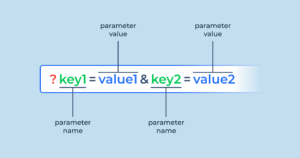
Handling query parameters and filters: Magento uses query parameters for layered navigation (e.g., ?color=blue). Ensure your CDN is configured to “Cache by Query String.” If the CDN ignores parameters, a user clicking “Blue” might still see the “Red” product list because the CDN served the cached version of the base URL.
Configuring CDN settings in Magento
Once you have your CDN provider’s details (usually a CNAME like cdn.yourstore.com), you must tell Magento to use it.
- Setting up CDN URLs in Magento configuration: Navigate to Stores > Configuration > General > Web. Under the “Base URLs (Secure)” section, update the following:
-
- Base URL for Static View Files: https://cdn.yourstore.com/static/
- Base URL for User Media Files: https://cdn.yourstore.com/media/
-
- Assigning CDN to static content (CSS, JS, images): By changing these paths, Magento will automatically rewrite the URLs in the HTML source code. Instead of loading domain.com/js/scripts.js, it will call cdn.yourstore.com/static/js/scripts.js. This is the core mechanism of offloading.
- Handling media URLs correctly: Product images are the heaviest part of a Magento site. Ensure your pub/media folder is correctly mapped. If you use an SEO extension for Magento 2, ensure it is compatible with CDN-rewritten URLs so that your image sitemaps point to the CDN version for faster indexing.
- Avoiding mixed content issues: If your CDN is not configured with a valid SSL certificate, browsers will block the assets, and Google will flag your site as “Not Secure.” Always use “Full” or “Strict” SSL modes in your CDN provider’s dashboard.
Optimizing CDN settings for Core Web Vitals
To achieve a perfect score in Magento Core Web Vitals, your CDN needs to do more than just “deliver” files.
Improving LCP with image and font delivery
Ensure your CDN supports Image Optimization. It should automatically serve WebP versions of your JPEGs to supported browsers. For fonts, use the font-display: swap CSS property and ensure the CDN serves font files with appropriate CORS headers to prevent rendering delays.
Reducing render-blocking resources
Use your CDN to minify CSS and JavaScript on the fly. While Magento has built-in minification, doing it at the CDN level reduces the load on your origin server and ensures the smallest possible file size is sent to the browser.
Preventing CLS issues caused by CDN-loaded assets
Cumulative Layout Shift (CLS) often happens when images or ads load slowly and “push” content down. A fast CDN ensures images load quickly, but you must also ensure your Magento theme defines image dimensions (width and height) so the browser reserves space before the CDN delivers the file.
Preventing blocked assets in robots.txt
Ensure your robots.txt does not disallow the /static/ or /media/ folders on your CDN domain. While you want to block search engines from indexing the CDN URLs themselves as duplicate pages, you must allow them to crawl the assets.
Validating SEO performance after CDN setup
Configuration is not the end; validation is.
Testing page speed and Core Web Vitals changes
Run PageSpeed Insights immediately after setup. You should see a marked improvement in “Time to First Byte” (TTFB) and “Largest Contentful Paint” (LCP). Monitor the “Origin Summary” to see how real-world users are experiencing the changes.
Using Google Search Console to monitor crawl and indexing
In Search Console, look at the Settings > Crawl Stats report. You should see an increase in the number of requests per day and a decrease in the “Average response time.” This indicates that Google is finding it easier and cheaper to crawl your Magento store.
Monitoring server logs and cache hit ratios
A healthy CDN setup should have a “Cache Hit Ratio” of 80% or higher. If your ratio is low, it means the CDN is frequently going back to your server, which defeats the purpose of the setup. Adjust your TTL (Time to Live) settings to keep files at the edge longer.
Ongoing CDN optimization and maintenance
As your Magento store grows, your CDN needs will evolve.
Updating cache rules as catalog size grows
Larger catalogs mean more images and more potential for cache misses. Regularly audit your most popular pages to ensure they are consistently served from the CDN edge.
Aligning CDN strategy with Magento upgrades
When upgrading from Magento 2.4.x to a newer version, always re-test your CDN headers. New versions of Magento often change how static files are generated or how the FPC interacts with external caches.
Conclusion
A well-configured CDN is one of the most impactful technical SEO investments you can make for a Magento 2 store. By reducing latency, optimizing asset delivery, and protecting your origin server, you create a fast, crawlable environment that both users and search engines reward. Follow this guide to ensure your Magento architecture is fully leveraged for maximum performance and visibility.