In the world of eCommerce SEO, many merchants make the mistake of building their site architecture based on how their warehouse is organized or how their ERP system classifies products. However, search engines like Google don’t reward internal logistics; they reward relevance. To achieve top rankings and high conversion rates, you must align your Magento store’s architecture with how users think and search.
Mapping buyer intent to Magento category structures is the process of aligning your website’s hierarchy with the specific needs and psychological states of your customers. When you get this right, you reduce bounce rates, eliminate keyword cannibalization, and create a seamless path from the search engine results page (SERP) to the checkout button.
Nội dung bài viết
Understanding Buyer Intent In eCommerce Search
Buyer intent (also known as search intent) refers to the “why” behind a search query. It is the specific goal a user has when typing a string of words into Google. In eCommerce, identifying this intent is the difference between showing a customer a list of products they want to buy versus a blog post they aren’t ready to read.
Types of Buyer Intent Relevant to Magento SEO
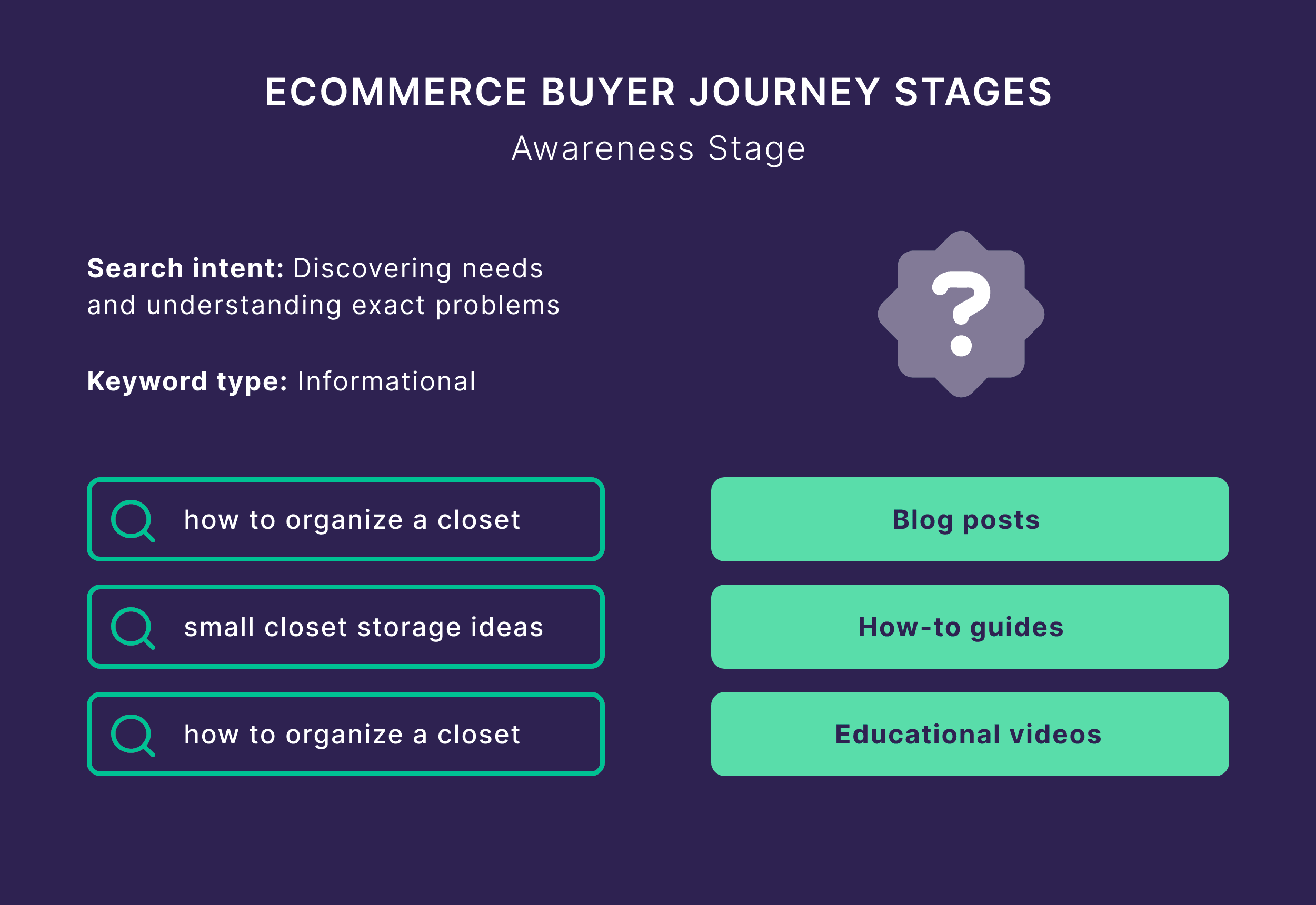
- Informational: The user is looking for answers or instructions (e.g., “how to clean suede shoes”). They are usually not ready to purchase yet.
- Commercial Investigation: The user is comparing options or looking for the “best” version of a product (e.g., “best lightweight running shoes 2024”). They intend to buy soon but need help deciding.
- Transactional: The user is in “buy mode” (e.g., “buy Nike Pegasus 40” or “red leather heels”). They are looking for a product listing page to make a selection.
- Navigational: The user is looking for a specific brand or a specific part of your store (e.g., “Nike sale section” or “Adidas men’s sneakers”).
Why Buyer Intent Should Guide Category Structure
If your category structure ignores intent, you risk “Wrong Mapping.” This happens when you try to rank a product category page for an informational keyword. Google will likely prefer a blog post for that query, meaning your category page will never reach page one.
Proper mapping prevents content cannibalization, where multiple categories compete for the same intent, and ensures that the user landing on your page finds exactly what they expected, which significantly boosts your conversion rate.
Mapping buyer intent to Magento category structures for better SEO: Step-by-step
Step 1: Research and Classify Buyer Intent Keywords
Before touching your Magento admin panel, you need a data-driven map of how your customers search.
1. Collect Potential Category Keywords
Start by gathering a wide net of keywords using these primary sources:
- Keyword Planner Tools: Use Ahrefs, SEMrush, or Google Keyword Planner to find volume and difficulty for your core product types.
- Competitor Category Structures: Analyze top-ranking competitors. Their “Breadcrumbs” often reveal a highly optimized intent structure.
- Internal Search Terms: Go to your Magento backend (Reports > Search Terms). What are people typing into your site search? This is pure, direct intent data.
- Google Search Console: Look at the “Queries” report to see which terms are already driving impressions to your site.
2. Group Keywords by Buyer Intent
Once you have your list, categorize them. Do not categorize them by product type yet; categorize them by the user’s state of mind.
Table: Keyword Intent Mapping Example
| Keyword | Intent Type | Targeted Magento Page Type |
| “how to choose running shoes” | Informational | Blog / Guide |
| “best running shoes for flat feet” | Commercial | Subcategory or Filtered Page |
| “buy men’s running shoes” | Transactional | Primary Category Page |
| “Nike running shoes” | Navigational/Transactional | Brand Category Page |
3. Identify Which Types Should Map to Category Pages
- Transactional Intent should always map to your Primary Category Pages. These users want to see a product grid immediately.
- Commercial Intent often maps to Subcategories or “Buying Guides” that feature a product grid. For example, “Waterproof Jackets” is a commercial subcategory.
- Informational Intent should almost never be the primary target of a category page. These belong in your Blog or Resource Hub.
Step 2: Map Intent to Magento Category Hierarchy
After classifying your keywords, you must physically build the hierarchy in Magento. This step involves more than just creating a list; it requires configuring specific Magento attributes to ensure search engines recognize the “Intent Depth” of your store.
1. Creating the “Intent-First” Category Tree
In your Magento Admin, navigate to Catalog > Categories. On the left, you will see your category tree.
- Parent Categories (Top-Level): These should target broad Transactional Intent.
- Example: “Hiking Gear.”
- Magento Setting: Click the Default Category (Root) and then click Add Subcategory.
- Subcategories (Level 2 & 3): These target Commercial/Specific Intent.
- Example: “Men’s Hiking Boots” or “Waterproof Backpacks.”
- Magento Setting: Select your “Hiking Gear” parent and click Add Subcategory.
Pro-Tip: Keep your hierarchy shallow. SEO best practice for Magento is to keep any product within 3 clicks of the homepage. If your intent mapping leads to 5+ levels, consider flattening the structure using filters instead of new categories.
2. Key Magento Configuration for Intent Mapping
Once a category is created, you must configure its “Display Settings” to match the user’s intent:
| Magento Attribute | SEO/Intent Purpose | Recommended Setting |
| Enable Category | Visibility | Set to Yes only when products and SEO content are ready. |
| Include in Menu | Navigation | Set to Yes for high-volume intent categories. Set to No for niche “landing-page” style categories. |
| Display Mode | Content Type | Set to Static Block and Products. This allows you to add an “Intent-Rich” CMS block (intro text) above the product grid. |
| Anchor | Authority Flow | Always set to YES. This allows subcategory products to “roll up” to the parent, strengthening the parent’s transactional authority. |
3. Defining the URL Key for Search Relevance
Under the Search Engine Optimization tab in the category settings, look at the URL Key.
- Bad URL: mystore.com/catalog/category/view/id/45
- Good URL: mystore.com/mens-hiking-boots
Magento auto-generates this from the category name, but you should manually refine it to remove “stop words” (a, the, and) and ensure it matches the primary keyword you identified in Step 1.
Step 3: Optimize Magento Category Pages for Intent + SEO
Once your hierarchy is built in the Magento backend, you must “tune” each page to satisfy both search engine crawlers and human shoppers. This involves moving beyond default settings to create a rich landing experience that satisfies the “why” behind the search.
1. Category Page SEO Foundations in Magento
Navigate to Catalog > Categories and select your target category. Focus on the following configurations:
- H1 Optimization (Content Tab):
- The Goal: Match the primary transactional keyword.
- Magento Config: By default, Magento uses the Category Name as the H1. If you want the menu to say “Boots” (for UX) but the H1 to be “Men’s Waterproof Hiking Boots” (for SEO), you may need to utilize a Static Block as a header or a custom attribute to override the default name.
- Unique Category Descriptions:
- The Goal: Provide 150–300 words of context to search engines while assisting the user’s “Commercial Investigation.”
- Magento Config: Use the Description field. A common strategy is to place a short, 2-line “Intro” in this box to greet the user and move the longer, keyword-dense “Supporting Content” to a CMS Block positioned at the bottom of the page (below the product grid) to avoid pushing products too far down the screen.
- Structured Content Layout: This captures long-tail “Informational” queries (e.g., “Are these boots good for snow?”) directly on a transactional page, keeping the user in your sales funnel.
- Navigate to Content > Elements > Blocks and create a block called “Hiking Boots Buying Guide.”
- Go back to Catalog > Categories and select your “Hiking Boots” category.
- In the Content tab, select your new block in the Add CMS Block dropdown.
- Set Display Mode to “Static Block and Products.”
2 Managing Faceted Navigation and Filters
Magento’s layered navigation (filters) can create thousands of duplicate URLs, which dilutes your SEO authority and confuses intent mapping.
- The “Index vs. Noindex” Rule:
- Generally, you should noindex filter results that combine multiple attributes (e.g., color=red&size=large). These combinations are too specific for broad category intent.
- Magento Config: By default, Magento 2 does not allow fine-grained control over robots tags for filters. You must ensure your robots.txt file is configured to disallow crawling of URL parameters (like ?color=) or use a custom technical solution to apply noindex, follow tags to filtered pages.
- Intent-Based Subcategory Creation:
- If you notice a specific filter combination (like “Red Silk Dresses”) has high search volume in your keyword research, do not rely on a filter.
- Action: Create a dedicated Subcategory. This allows you to have a unique URL key, a custom H1, and unique meta descriptions, which will rank significantly better than a filtered URL.
3 Advanced Metadata Strategy
Your metadata acts as the “ad” for your page on the Google search results page.
- Title Tags (Search Engine Optimization Tab):
- Standard: Running Shoes – MyStore
- Intent-Optimized: Shop High-Performance Running Shoes | Free Shipping – MyStore
- Magento Config: In the Search Engine Optimization section of the category settings, manually enter the Meta Title. This should always lead with the primary transactional keyword.
- Meta Descriptions:
- Use this space to address “Transaction Friction.” Include phrases like “In Stock,” “Price Match Guarantee,” or “Free 30-Day Returns” to satisfy the user’s intent to find a reliable and fast vendor.
- The “URL Key”:
- Ensure the URL key is clean. If your category is “Men’s Trail Running Shoes,” the URL key should be mens-trail-running-shoes, not a generic string of numbers or an overly long path.
4 Using Canonical Tags to Prevent Intent Conflict
Sometimes, a product might live in multiple categories (e.g., a shoe in “New Arrivals” and “Running Shoes”).
- The Risk: Google might not know which page is the “primary” destination for that product’s intent.
- The Fix: In the Magento Admin, go to Stores > Configuration > Catalog > Catalog > Search Engine Optimization.
- Setting: Set Use Canonical Link Meta Tag For Categories to Yes. This tells Google to prioritize the “main” category URL, preventing your own pages from competing against each other in the SERPs.
While Magento provides the basics for category optimization, managing intent mapping across hundreds or thousands of pages can be overwhelming. To automate and refine this process, many merchants use the Magento 2 SEO Extension by BSS Commerce.
This solution helps you overcome native Magento limitations by allowing you to create meta tag templates for thousands of categories at once, manage the index/noindex status of layered navigation filters to prevent duplicate content, and automatically generate advanced breadcrumbs that reinforce your intent-based hierarchy to search engines.
Step 4: Internal Linking Based on Intent Flow
Internal links tell Google which pages are the most important and how they relate to one another.
Build Intent-Based Navigation Paths: Organize links so they follow a logical flow. A user looking at “Outdoor Gear” (Broad) should easily find “Tents” (Specific).
- Breadcrumbs: Always enable breadcrumbs. They provide a clear path for both users and crawlers back up the intent hierarchy.
- Avoid Intent Mismatch: Don’t fill your transactional category page with links to informational blog posts that lead the user away from the checkout.
Support Buyer Journey Internally: Use your content to funnel users.
- Informational to Commercial: A blog post about “How to train for a marathon” should link to your “Running Shoes” category.
- Commercial to Transactional: A “Running Shoe Buying Guide” should link to specific subcategories like “Stability Shoes.”
Use These Magento Elements Smartly
- Mega Menus: Use these to expose L2 and L3 categories to the crawler immediately from the homepage.
- Related Categories: At the bottom of a category page, add a “Shop by Style” or “Related Collections” section to keep users in the shopping funnel.
A well-planned intent-based structure only works when it’s reinforced by a strong internal linking strategy. Proper internal linking in Magento SEO helps search engines understand page priority, distribute authority, and maintain a clear intent hierarchy.
Step 5: Measure The Impact of Intent-Driven Category Structure
What Metrics to Track
- Rankings: Are your category pages moving up for “buy ” keywords?
- Organic Traffic: Is the traffic to your /category-url.html pages increasing?
- Conversion Rate (CVR): Since intent mapping improves relevance, your CVR should rise.
- Bounce Rate: A high bounce rate on a category page suggests an intent mismatch.
Tools to Use
- Google Search Console: To monitor click-through rates (CTR) on specific keywords.
- GA4: To track the “User Journey” and see if people are moving from categories to products.
- Heatmaps (Hotjar/CrazyEgg): To see if users are engaging with your category descriptions or just the product grid.
Continuous Optimization Workflow
Buyer behavior changes. You should review your structure quarterly.
- Split: If a subcategory like “Eco-friendly Yoga Mats” gets huge traffic, make it a primary category.
- Merge: If two categories are competing for the same keywords, merge them into one powerhouse page.
Advanced Considerations
- Seasonal Intent: Create temporary categories for “Holiday Gift Guide” or “Summer Sale” and link them prominently during peak times.
- B2B Magento: For B2B, intent is often “Bulk” or “Wholesale.” Ensure your category structure reflects this (e.g., “Wholesale Office Supplies”).
- Enterprise Catalogs: For sites with 100,000+ SKUs, use “Virtual Categories” in Magento Commerce to dynamically group products based on intent-rich attributes.
Common Pitfalls to Avoid in Intent-Mapping
When restructuring a Magento site, it is easy to fall back into old habits or over-optimize for bots while forgetting the human at the other end of the screen. Avoiding these specific pitfalls will ensure your intent-based structure remains durable and effective.
Structuring Around Products Instead of Intent
Many Magento store owners build their navigation based on how their inventory is organized in their warehouse or ERP. This is a “product-first” approach, which often misses how customers actually search.
- The Mistake: Creating a top-level category for a brand or a technical attribute that has zero search volume just because you have a lot of that stock.
- The Consequence: You waste “link equity” (SEO authority) on pages that will never attract organic traffic, while burying high-intent categories deep in the sub-navigation.
- The Fix: Use your keyword research to dictate the hierarchy. If data shows people search for “Waterproof Hiking Boots” more than “Brand X Boots,” then “Waterproof” should be the prominent category or a high-level attribute, not a hidden filter.
Keyword Stuffing and “Over-Optimization”
In an attempt to signal intent to Google, some merchants create redundant or unnatural category names.
- The Mistake: Naming a category “Buy Blue Dresses Online Cheap Best Price.”
- The Consequence: This triggers “Panda-style” quality filters from Google, which penalize sites for low-quality, automated-looking content. It also destroys user trust; a customer looking for a high-end experience will be repelled by “spammy” navigation.
- The Fix: Keep category names concise and human-readable (e.g., “Blue Evening Dresses”). Use the Category Description and Metadata fields to include your secondary “Buy” and “Online” keywords naturally.
A category structure that looks beautiful on a 27-inch desktop monitor can become a usability nightmare on a 6-inch smartphone.
- The Mistake: Using massive “Mega Menus” with five levels of intent-based subcategories that require precise hovering.
- The Consequence: High bounce rates on mobile. If users can’t easily tap through your hierarchy, they will leave and find a competitor with a cleaner interface.
- The Fix: Implement a “Hamburger” menu that uses accordion-style expansion. Ensure that your intent-mapping focuses on the most important 3–5 subcategories for mobile users, perhaps using an “Icon-based” navigation grid on the parent category page to make tapping easier than scrolling through a long list.
Creating Too Many Near-Duplicate Categories
While targeting specific intent is good, over-segmenting can lead to “Thin Content” issues in Magento.
- The Mistake: Creating separate categories for “Men’s Blue Running Shoes,” “Men’s Navy Running Shoes,” and “Men’s Cobalt Running Shoes.”
- The Consequence: Google may see these as “Doorway Pages”—pages created solely for search engines with no unique value. This can lead to a site-wide rankings drop.
- The Fix: If the search volume for a specific color or attribute is low, use Magento Layered Navigation (Filters) instead of a dedicated category. Only create a standalone category if the keyword has enough monthly search volume to justify a unique page with its own unique description.
Conclusion
Mapping buyer intent to your Magento category structure is one of the highest-ROI SEO activities you can perform. By moving away from a “warehouse-first” mentality and toward an “intent-first” strategy, you provide search engines with the clarity they need to rank your pages. More importantly, you provide your customers with a logical, friction-free shopping experience that leads them directly to the products they want to buy.
Would you like me to help you draft a sample keyword mapping table for a specific product niche?