In the complex ecosystem of Magento SEO, managing the movement of traffic and search engine bots is a daily necessity. As catalogs evolve, products go out of stock, and marketing campaigns rotate, URLs must inevitably change. This is where redirects come into play. Among the various HTTP status codes, the 302 redirect is perhaps the most misunderstood and incorrectly utilized tool in a merchant’s arsenal.
This guide provides a deep dive into the mechanics of the 302 redirect. We will explore how Magento handles these status codes natively, the specific scenarios where they are appropriate, and the long-term SEO risks associated with misconfiguration. Whether you are managing a small boutique or an enterprise-level multi-store setup, this framework will help you navigate the technical hurdles of redirect management with precision.
Nội dung bài viết
- 1 What is a 302 redirect?
- 2 How Magento handles 302 redirects
- 3 How 302 redirects affect SEO
- 4 When using a 302 redirect is correct in Magento
- 5 Common SEO problems caused by incorrect 302 redirects
- 6 How to identify 302 redirects
- 7 How to fix or change 302 redirect in Magento stores
- 8 Best practices for managing redirects in Magento SEO
- 9 Conclusion
What is a 302 redirect?
At its core, a redirect is a way to send both users and search engines to a different URL from the one they originally requested. However, not all redirects are created equal.
Definition of a 302 (temporary) redirect
A 302 redirect is an HTTP response status code indicating that the requested resource has been “Found,” but it resides temporarily under a different URI. When a server sends a 302 header, it tells the browser or the search engine bot: “The page you are looking for is currently over there, but don’t delete the old URL from your records because it will be back soon.”
From a technical perspective, a 302 redirect maintains the original URL’s presence in the browser’s history and the search engine’s index. Because the move is perceived as fleeting, the client (the browser) is expected to continue using the original URL for future requests. This is a critical distinction in the world of web protocols, as it affects how data is cached and how link authority is processed.
302 redirect vs 301 redirect (quick overview)

302 redirect vs 301 redirect
The primary difference lies in the concept of permanence. A 301 redirect is a “permanent move.” It tells search engines to transfer all ranking signals, link equity, and historical data from the old URL to the new one. In most cases, the old URL is eventually dropped from the search index in favor of the new destination.
In contrast, the 302 redirect is a “temporary move.” It suggests that the change is short-term. Because of this, search engines are often hesitant to pass “link juice” (authority) through a 302. They tend to keep the original URL indexed and may even show the original URL in search results while technically serving the content of the redirected page. Misusing a 302 when a 301 is required can lead to “split signals,” where Google doesn’t know which version of the page should actually rank.
How Magento handles 302 redirects
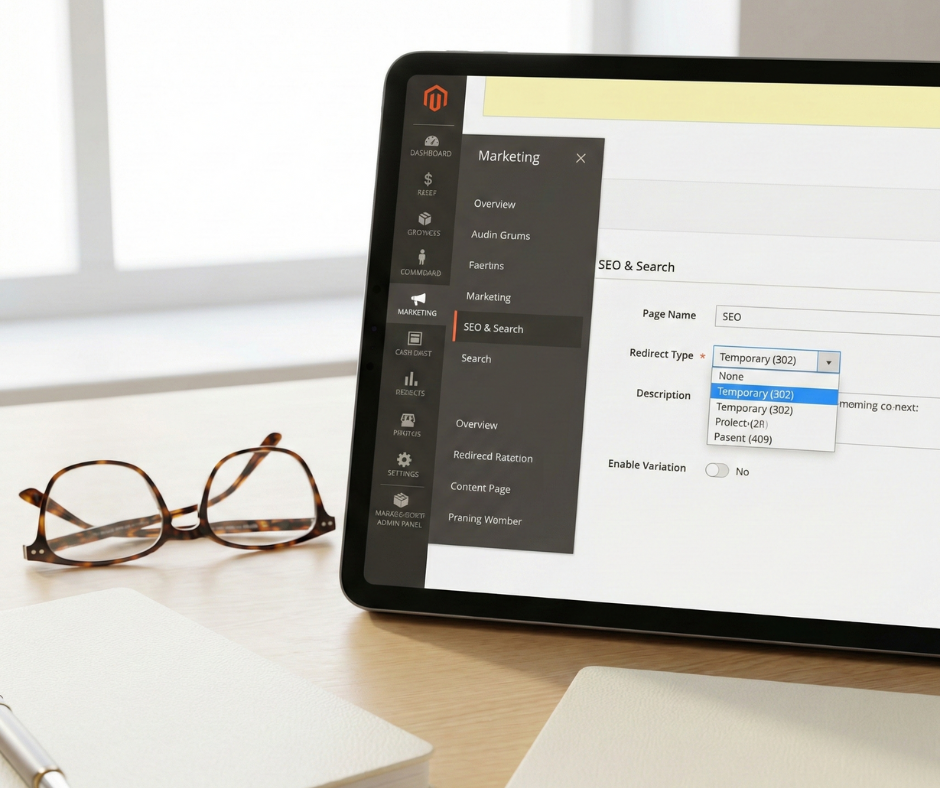
How Magento handles 302 redirects
Magento is a robust platform that provides extensive control over its URL structure through a dedicated URL rewrite system. Understanding how this system defaults is the first step in avoiding accidental SEO damage.
Default redirect behavior in Magento
Magento utilizes a module called Mage_Core (in legacy versions) or Magento_UrlRewrite (in Magento 2) to manage path changes. When a merchant updates their store to maintain a Magento 2 SEO friendly URL by changing a product’s ‘URL key’ in the admin panel and leaves the ‘Create permanent redirect for old URL’ checkbox checked, Magento natively generates a 301 redirect
However, there are several instances where Magento—or third-party extensions installed on the platform—may default to a 302. For example, if you are using the “store switcher” or if you have set up a “maintenance mode” page, Magento often utilizes temporary redirects to manage the user session. Additionally, some older versions of Magento used 302s as the default for certain internal controller actions, which could inadvertently expose temporary URLs to search engine crawlers.
Magento URL rewrites and redirect types
In the Magento admin (Marketing > SEO & Search > URL Rewrites), users can manually create a Magento URL rewrite to manage path changes and redirect types. When adding a new URL rewrite, the “Redirect Type” field typically offers three options:
- No: No redirect (the old URL will simply point to the new content).
- Temporary (302): Used for short-term changes.
- Permanent (301): Used for definitive changes.
Choosing “Temporary” here tells Magento’s routing engine to issue a 302 header every time the old path is requested. It is essential for teams to have a protocol for when to select each type, as the “temporary” option is often the default selection in certain custom modules, leading to a build-up of 302s over time.
How 302 redirects affect SEO
The impact of a 302 redirect on SEO is nuanced and depends heavily on how long the redirect remains active and how search engine algorithms interpret the merchant’s intent.
Impact on indexing and crawl behavior
When a crawler like Googlebot encounters a 302, it notes the new location but maintains the old URL in its “crawl queue.” Because Google expects the old URL to return, it will continue to re-visit the original path to check if the redirect has been removed.
If a Magento store has thousands of 302 redirects, it can significantly waste the “crawl budget.” Instead of spending time discovering new products or indexing updated blog posts, the bot is stuck re-verifying thousands of temporary bridges. Over time, this can lead to a sluggish index where new content takes longer to appear in search results.
Link equity and ranking signals
Link equity (or “PageRank”) is the authority passed from one page to another through links. For over a decade, the SEO community operated under the assumption that 302s do not pass PageRank. While Google has clarified in recent years that 302s can eventually pass authority, they do so much less efficiently than 301s.
If you have a high-authority blog post and you 302 redirect it to a product page, the product page may not see the ranking boost you expect. The authority remains “tethered” to the original blog post URL. If the goal is to permanently consolidate the power of two pages, a 302 is a suboptimal choice.
Short-term vs long-term SEO effects
In the short term (under 30 days), a 302 is perfectly safe. It prevents 404 errors and keeps users engaged. However, the risk increases with time. If a 302 redirect is left in place for months or years, search engines may become “confused.” They might eventually treat the 302 as a 301, but this “heuristic” update is unpredictable. It can lead to “keyword cannibalization,” where both the old URL and the new URL try to rank for the same terms, resulting in neither page reaching the top of the SERPs.
When using a 302 redirect is correct in Magento
To maintain a healthy Magento store, you must know when to stick to your guns with a temporary status code.
Valid SEO use cases for 302 redirects
A 302 redirect is the correct choice when:
- You are running a time-limited promotion (e.g., a “flash sale” weekend).
- You are performing a site update that will last less than 48 hours.
- You are geo-targeting users (redirecting them to a regional store view based on IP), although this should be handled with hreflang to avoid crawling issues.
- You are testing a new page design and want to ensure the original page retains its ranking signals.
Decision framework: 302 vs 301 in Magento
To decide, ask yourself one simple question: “Will the content ever return to the original URL?”
- Yes: Use a 302 (Temporary).
- No: Use a 301 (Permanent).
There is a common misconception that 302s are “safer” because they are reversible. While true, reversibility should not be a substitute for a firm SEO strategy. If a product is discontinued, it is never coming back. Use a 301 to point it to the closest matching item.
Common SEO problems caused by incorrect 302 redirects
Even with the best intentions, 302s can create technical “debt” that slows down your Magento store’s organic growth.
Long-term 302s on permanently moved pages
If you migrate your Magento store from a .com to a .net domain (or simply change your category structure) and use 302s, you are essentially telling Google to keep the old domain in its index. This results in “index confusion,” where the old site and the new site compete against each other. It can take months for Google to resolve this on its own, during which your sales will likely plummet.
Redirect chains and loops
A redirect chain occurs when URL A 302s to URL B, which then 301s to URL C. Each “hop” in a chain costs a small amount of load time and crawl budget. Search engines usually stop following chains after 3 to 5 hops. 302s are often the “middle links” in these chains, created by different members of a team at different times. A redirect loop—where A points to B and B points back to A—is even worse, as it completely blocks bots and users, leading to a high bounce rate.
Impact on international or multi-store setups
Magento’s multi-store architecture is prone to 302 issues during language switching. If a user from Germany lands on your US site and your system 302 redirects them to the /de/ store view, Googlebot (which usually crawls from US IP addresses) might get trapped in a redirect that prevents it from ever seeing your US content. Proper international SEO requires a balance of 302s for user experience and rel=”alternate” hreflang tags for crawler clarity.
How to identify 302 redirects
You cannot fix what you cannot find. Regular audits are essential for keeping your redirect table clean.
Using SEO crawling tools
Tools like Screaming Frog SEO Spider or Sitebulb are industry standards for this task. By crawling your Magento XML sitemap and your site’s internal links, these tools can generate a report of every URL that returns a 302 status code. You should specifically look for 302s that have been in place for more than 30 days.
Google Search Console signals
Within Google Search Console, navigate to the Indexing > Pages report. Look for the “page with redirect” category. While Google doesn’t always distinguish between 301s and 302s in the high-level summary, you can use the “URL inspection tool” on specific suspected pages to see how Googlebot is perceiving the redirect and which URL it has chosen as the “canonical.”
Server logs and redirect audits
For larger stores, server log analysis is the only way to see the “hidden” 302s triggered by the server configuration (Apache or Nginx) rather than the Magento database. Analyzing these logs helps you identify “ghost redirects”—302s that are happening before the request even reaches the Magento application layer.
How to fix or change 302 redirect in Magento stores

How to fix or change 302 redirect in Magento stores
Fixing a redirect is a straightforward process once you have identified the culprits. If you are looking for specific tools to help manage these, you can explore several options listed at https://bsscommerce.com/magento/blog/3-free-magento-2-redirect-extensions/ to simplify your manual workload.
Changing a 302 redirect to a 301 in Magento admin
- Log in to the Magento admin.
- Navigate to Marketing > SEO & Search > URL Rewrites.
- Use the filters to find the “Request Path” that is currently a 302.
- Click “Edit.”
- Change the “Redirect Type” from “Temporary (302)” to “Permanent (301).”
- Save the rewrite and flush the Magento cache.
Fixing redirects at the server level
If the 302 is not found in the Magento URL rewrite table, it is likely in your .htaccess file (Apache) or your nginx.conf file. Search these files for the flag [R=302] or rewrite … redirect;. Changing these to [R=301,L] or rewrite … permanent; will convert them to permanent redirects. This is often necessary for site-wide changes, such as forcing HTTPS or redirecting the non-WWW version of your domain to the WWW version.
Avoiding redirect chains during cleanup
When updating a 302 to a 301, always ensure the “target path” is the final destination. If URL A currently points to URL B via a 302, and URL B points to URL C via a 301, you should update URL A to point directly to URL C via a 301. This “collapses” the chain and improves page load speed.
Best practices for managing redirects in Magento SEO
To prevent future 302-related headaches, implement a governance policy within your marketing and development teams.
Redirect governance and documentation
Keep a master spreadsheet or a shared document that logs every manual redirect created in Magento. Include the “date created,” “reason for redirect,” “redirect type,” and “expected expiry date.” This ensures that “temporary” redirects are actually temporary and aren’t forgotten and left to rot in your database.
Monitoring redirect performance over time
Use your SEO tools to monitor the “index status” of redirected pages. If you have 301ed a page, you should see the old URL disappear from the index. If you have 302ed a page, the old URL should remain. If the opposite happens, it’s a sign that search engines are disagreeing with your status code choices, necessitating a technical review.
Preventing future redirect issues
Educate your content team on the difference between the two codes. Many non-technical users choose 302 because it sounds “less scary” than permanent. Establish a standard operating procedure: unless a product is returning within the current season, always default to a 301. Furthermore, automate your 404 monitoring; when a page breaks, have a system in place to evaluate whether a 301 or 302 is the most appropriate recovery path.
Conclusion
The 302 redirect in Magento stores is a double-edged sword. When used correctly for short-term promotions, maintenance, and A/B testing, it is an essential tool for maintaining a seamless user experience. However, when left to accumulate as a substitute for permanent architectural changes, it can lead to wasted crawl budget, diluted link equity, and significant index confusion.
For a sustainable Magento SEO strategy, the key takeaways are clarity of intent and regular maintenance. Search engines are sophisticated, but they still rely on clear signals to understand how to prioritize your content. By distinguishing between what is truly temporary and what is a permanent evolution of your catalog, you ensure that your Magento store remains lean, efficient, and highly visible in the competitive landscape of e-commerce search. Prioritize 301s for your long-term catalog shifts, use 302s sparingly for their intended purpose, and always keep your redirect chains short. This disciplined approach will protect your organic traffic and provide a solid foundation for your store’s long-term growth.