In the complex world of technical SEO for eCommerce, Magento stores often face a silent but devastating issue: the proliferation of internal search result pages in the search index. While the internal search bar is a vital tool for user experience, allowing customers to find specific products instantly, the URLs generated by this feature can become a nightmare for search engine optimization.
Google has long maintained a clear stance on this issue. Their webmaster guidelines explicitly state that search results should not be indexed, as they rarely provide a positive experience for users coming from an external search engine. This guide is designed to help Magento merchants and SEO professionals identify, block, and remove these pages from the index, ensuring that search bots focus their attention on your high-value category and product pages.
Nội dung bài viết
- 1 Why Magento internal search pages should not be indexed
- 2 How Google treats internal search pages
- 3 Step-by-step to prevent Magento internal search pages from being indexed
- 3.1 Step 1 – Identify indexed internal search pages
- 3.2 Step 2 – Decide the correct blocking method
- 3.3 Step 3 – Blocking Magento internal search pages with robots.txt
- 3.4 Step 4 – Using noindex for internal search pages
- 3.5 Step 5 – Preventing internal links to search pages
- 3.6 Step 6 – Verification and monitoring
- 4 Advanced considerations for large Magento stores
- 5 Conclusion
Why Magento internal search pages should not be indexed
Using noindex for internal search pagesBlocking Magento internal search pages with robots.txt

Why Magento internal search pages should not be indexed
The standard URL structure for search in Magento follows the /catalogsearch/result/ path. When a user searches for “blue suede shoes,” Magento typically generates a URL like domain.com/catalogsearch/result/?q=blue+suede+shoes.
Each variation in the search query—including typos, plurals, different word orders, or even synonymous terms—creates a completely unique URL. Furthermore, Magento allows users to filter and sort these results. Each filter applied (such as price range, brand, color, or material) appends even more parameters to the URL, such as &price=10-50 or &product_list_order=price. Without proper technical intervention, the number of potential search URLs is practically infinite, creating a massive “crawl trap” for bots.
Allowing these dynamic pages to remain in the index is not just a neutral technical state; it is actively harmful to your store’s organic performance and overall search reputation. Proactively identifying such Magento technical SEO issues is essential to prevent your site from falling into the trap of thin content and crawl inefficiency.
Thin and duplicate content risks
Internal search result pages are the definition of “thin content.” They often contain a list of products that already exist on your category pages, providing no unique value or original insight to a search engine. In many cases, if a user searches for a term that returns zero results, the page is almost entirely empty except for a “No results found” message. When Google finds thousands of these near-identical or empty pages, it may view the entire site as low-quality, which can negatively impact the rankings of your core landing pages and even trigger site-wide quality penalties.
Crawl waste and index bloat
Search engines allocate a specific “crawl budget” to every website—a limit on how many pages they will crawl in a given period based on site authority and speed. If your Magento store has 5,000 real products but 50,000 indexed search results, Googlebot is spending the majority of its time crawling “garbage” URLs. This inefficiency causes a delay in the discovery and indexing of new products or updates to existing ones. Index bloat occurs when these pages fill up Google’s database, creating significant Magento index issues that make it harder for the ranking algorithm to determine which pages are the most important representatives of your brand.
Keyword cannibalization and ranking confusion
Search result pages often compete with your primary category pages for the same keywords. For example, if you have an optimized category for “Running Shoes” but Google also indexes an internal search result for the query “running shoes,” you have two internal pages competing for the same search intent. This keyword cannibalization confuses search engines, often resulting in neither page ranking well, or a low-quality, non-optimized search result outranking the carefully crafted and high-converting category page.
How Google treats internal search pages
Google’s algorithms are specifically tuned to identify and penalize sites that allow search results to clutter their index, as it is seen as an attempt to capture traffic with low-effort content.
Google’s guidelines on internal search results
Google’s developer documentation is unambiguous: “Use robots.txt to prevent crawling of internal search result pages.” They classify these pages as “Search Spam” if they are generated automatically to capture long-tail traffic without providing a unique landing page experience. Google prefers to send users to a curated landing page or a direct product detail page (PDP), not another search engine’s results page, where the user has to do even more work to find what they need.
Common Google Search Console warnings
If you have already implemented a partial block, you might see the warning “Indexed, though blocked by robots.txt” in your Google Search Console (GSC). This occurs when a page is disallowed in your robots.txt file, but Google still finds enough external or internal signals (like high-authority backlinks) to believe the page is relevant, leading them to index it without actually crawling it. This is a “limbo” state that suggests your strategy for how to prevent Magento internal search pages from being indexed needs to be more comprehensive, involving both crawl-prevention and index-prevention.
Step-by-step to prevent Magento internal search pages from being indexed
Step 1 – Identify indexed internal search pages
Before you can fix the problem, you must understand its scale and the specific URL patterns being targeted by crawlers.
Using Google Search Console
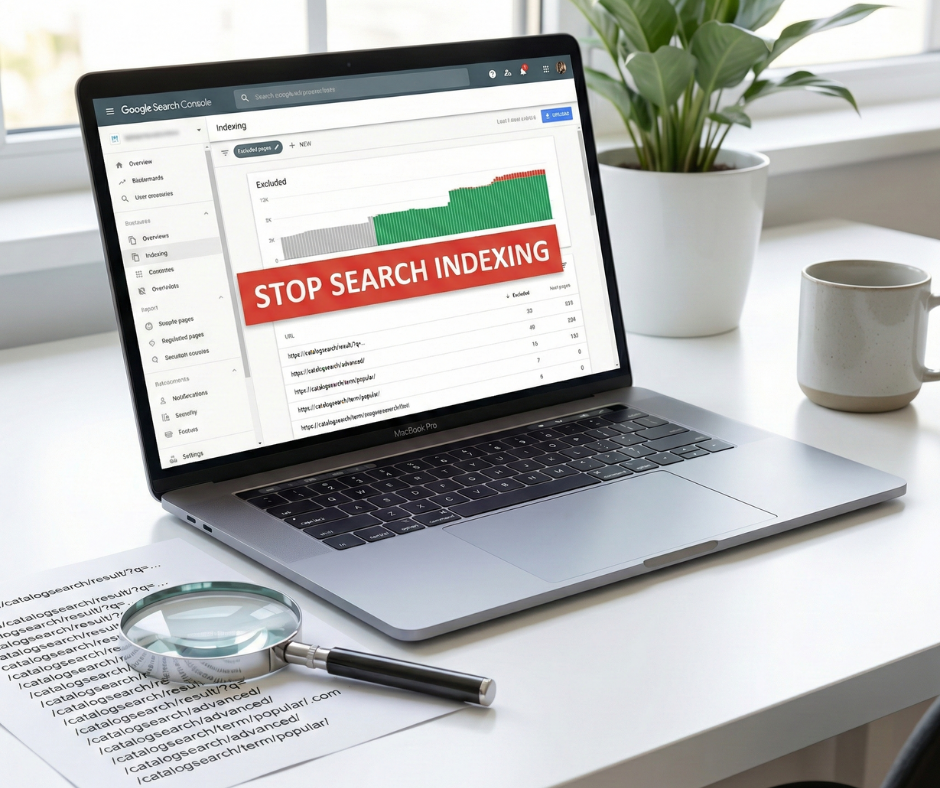
Navigate to the “Indexing” (formerly Coverage) report in GSC. Filter the results for URLs containing catalogsearch. This will show you exactly how many search result pages are currently indexed. You should also check the “Excluded” section to see if Google is discovering these URLs but choosing not to index them—this is a sign of high crawl waste even if the index isn’t bloated yet. Pay close attention to the “Discovered – currently not indexed” status, as it often hides thousands of search URLs that are eating your crawl budget.
Using SEO crawling tools
Using tools like Screaming Frog or Sitebulb allows you to perform an “audit” of your internal linking structure. Set the tool to follow all links and look for any instances where the bot finds its way into the /catalogsearch/ path. This will help you identify “leakage”—internal links you might have forgotten about in the footer, sidebar, or inside product descriptions—that are inviting bots into the search results.
Step 2 – Decide the correct blocking method
There are two primary ways to handle this: stopping the bot from visiting the page (robots.txt) or letting the bot visit but telling it not to index the page (noindex).
Robots.txt vs noindex: key differences
- Robots.txt (Disallow): This prevents the bot from crawling the page at all. It is excellent for saving crawl budget. However, if a page is already indexed, a robots.txt block prevents the bot from seeing a “noindex” tag, which means the page might stay in the index for a very long time because Google cannot “re-crawl” it to see the update.
- Noindex (Meta Tag): This allows the bot to crawl the page but prevents it from appearing in search results. It is the best way to remove already-indexed pages. Once Google crawls the page and sees the tag, it removes the URL from its index.
Why canonical tags are not enough
Some developers attempt to use canonical tags to point all search results back to the homepage or a related category. This is a mistake. A canonical tag is a “hint,” not a directive. If the content of the search result is significantly different from the destination of the canonical tag, Google will likely ignore it and index the search result anyway. Furthermore, canonicals do not stop bots from crawling the page, so they do absolutely nothing to solve the problem of crawl waste.
Step 3 – Blocking Magento internal search pages with robots.txt

The robots.txt file is your first line of defense and should be implemented in almost all Magento environments to manage the efficiency of bot activity.
Recommended robots.txt rules for Magento
To prevent crawling, you should add specific disallow rules. Managing these technical configurations can be easier with a professional https://bsscommerce.com/magento-2-seo-extension.html that helps automate and validate your SEO settings. In your robots.txt file, add the following lines:
Disallow: /catalogsearch/
Disallow: /search/
Disallow: /*?q=
This ensures that any URL starting with the search path or containing the search query parameter (q=) is off-limits to bots.
Common robots.txt mistakes to avoid
Be careful not to over-block. Ensure that you aren’t blocking the JavaScript or CSS files that Magento uses to render the page layout. In modern SEO, Google needs to “render” the page to evaluate its quality and mobile-friendliness. Also, remember that robots.txt is case-sensitive; if your store uses variations like /CatalogSearch/, you must account for that in your rules.
Step 4 – Using noindex for internal search pages

If Google Search Console shows that thousands of search pages are already indexed, robots.txt alone will not fix the problem quickly. You must use the “noindex” directive to purge the index.
When noindex is the better option
Use “noindex” when you need to clean up an existing mess. By allowing the bot to crawl the page and see the noindex tag, you provide the fastest path to removal from the SERPs. Once the number of indexed search pages in GSC drops to near zero, you can then apply the robots.txt block to save future crawl budget.
Implementing noindex in Magento
In Magento 2, you can implement this by modifying the layout XML for the search results page. In your theme’s catalogsearch_result_index.xml file, you should add the following code block within the <head> section:
<head>
<meta name=”robots” content=”NOINDEX,FOLLOW”/>
</head>
Using FOLLOW is an important detail; it tells the bot not to index the search results page itself but to continue following the links to the actual products listed on that page. This ensures your products still receive “link equity” and can be discovered through the search results even if the search page isn’t indexable.
Step 5 – Preventing internal links to search pages
The most sustainable way to prevent Magento internal search pages from being indexed is to stop linking to them entirely within your site’s architecture.
Removing search result links from navigation
Audit your footer and sidebar. Are you using a “Popular Searches” or “Search Terms” widget? While this was a popular strategy for capturing long-tail traffic in the early days of eCommerce SEO, it is now considered a harmful practice. These widgets create thousands of internal links to search result pages, practically begging Google to crawl and index them. Remove these widgets and replace them with links to actual, optimized category pages.
Managing on-site search UX without SEO risk
You can still provide a great search experience for users without risking your SEO. Use AJAX-based search (auto-complete) that shows product previews (images and names) directly in a search dropdown. Often, users will find and click a product directly from the dropdown, which prevents the search result page from ever being generated or crawled in the first place.
Step 6 – Verification and monitoring
SEO is not a one-time setup; it is a process of ongoing validation to ensure that your technical blocks remain effective as your site evolves.
Validating changes in Google Search Console
After implementing your blocks, use the “URL Inspection Tool” in GSC on a few random search result URLs. It should tell you that the page is either “Excluded by ‘noindex’ tag” or “Blocked by robots.txt.” Monitor the “Indexing” report weekly. You should see a steady decline in the number of indexed URLs under the /catalogsearch/ path. Monitoring crawl and index health over time is a key part of preventing Magento internal search pages from being indexed effectively.
Monitoring crawl and index health over time
Check your “Crawl Stats” in GSC regularly. You want to see the total number of requests remain stable or decrease while the “Crawl Purpose” shifts more toward your important products and categories. If you see a sudden spike in crawls for /catalogsearch/, it means a new internal or external link has been created—perhaps through a recent blog post or a new third-party integration—that you need to find and address immediately.
Advanced considerations for large Magento stores
For enterprise-level stores with multiple store views and massive catalogs, the complexity of managing search indexing increases significantly.
Multi-store and multi-language setups
If you have multiple store views using different directories (e.g., /fr/, /de/, /uk/), ensure your robots.txt or noindex rules account for these specific subfolders. Often, a merchant will fix the problem for the primary US store but forget to apply the rules to regional versions, leading to localized index bloat that is harder to track but equally damaging to regional rankings.
Internal search vs SEO landing pages
If you find that users are frequently searching for a specific high-volume term like “Organic Cotton Yoga Mats,” do not rely on the search result page for that intent. Instead, create a dedicated, static category page or a custom “SEO Landing Page” for that term. This allows you to write unique content, optimize the H1 and meta tags, and provide a much better experience for both users and search engines. You can then use redirects to point the internal search result for that specific query to your new, optimized category page.
Conclusion
In summary, knowing how to prevent Magento internal search pages from being indexed is a fundamental requirement for any serious eCommerce SEO strategy. By allowing these low-quality pages to clutter the search index, you are essentially telling search engines that your site is disorganized and filled with redundant, low-value content.
The correct approach is a coordinated, multi-layered effort: use noindex tags to clear out any existing index bloat, implement robots.txt rules to protect your future crawl budget from being wasted, and audit your internal linking structure to remove any unnecessary paths to search results. Remember that SEO is an ongoing process of hygiene and maintenance. Regularly monitoring your Google Search Console reports will ensure that your Magento store remains lean, efficient, and highly visible for the pages that actually drive revenue—your products and categories. By treating search bots’ time with respect, you ensure they spend that time ranking your most valuable assets. Proactively managing how to prevent Magento internal search pages from being indexed is the key to long-term technical SEO health.