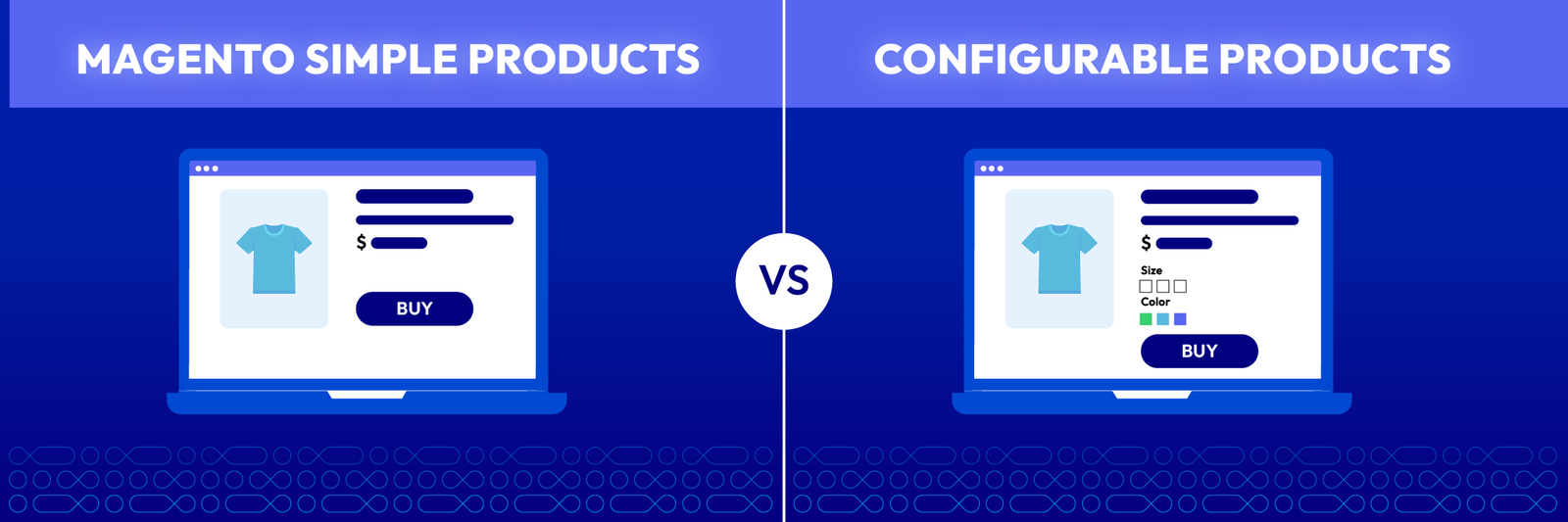
In the complex landscape of e-commerce, the architectural decisions made during the catalog setup phase often dictate the long-term visibility of a store. For Magento merchants, one of the most significant decisions involves choosing between simple products and configurable products.
While this might seem like a purely inventory-based choice, the SEO impact is profound. The way search engines crawl, index, and rank your store depends heavily on how these product types are structured.
Nội dung bài viết
- 0.1 Why product type choice matters for Magento SEO
- 0.2 Common SEO issues caused by incorrect product-type setup
- 0.3 What this guide helps store owners decide
- 1 What Is a Simple Product in Magento (SEO Perspective)
- 2 What Is a Configurable Product in Magento (SEO Perspective)
- 3 SEO Comparison: Configurable vs Simple Products
- 4 Which Product Type Should You Choose for SEO?
- 4.1 When simple products are the better SEO choice
- 4.2 When configurable products make more sense
- 4.3 Hybrid strategies: Indexing selected child products
- 4.4 SEO-safe Magento settings to support each choice
- 4.5 Common mistakes to avoid during implementation
- 4.6 Why the “right” choice depends on catalog size, variants, and search demand
- 5 Conclusion
Why product type choice matters for Magento SEO
SEO is fundamentally about making it easy for search engine bots to understand what you sell. Magento is a powerful platform, but it gives store owners a high degree of flexibility that can lead to “SEO traps” if not managed correctly.
Choosing the wrong product type can lead to a messy site architecture, making it difficult for Google to determine which page is the “authority” for a specific keyword. By understanding the technical nuances of each type, merchants can:
- Optimize their crawl budget effectively.
- Ensure search equity is concentrated on high-value pages.
- Avoid internal competition between similar product variants.
- Refine settings using tools like a Magento 2 SEO extension.
Common SEO issues caused by incorrect product-type setup
When product types are misconfigured, several technical SEO issues arise that can damage your site’s reputation with search engines. The most frequent problem is duplicate content across your catalog.
If a store lists ten different colors of the same shirt as individual simple products without unique descriptions, search engines may view them as identical. This leads to:
- Keyword Cannibalization: Your own pages compete against each other for the same ranking position.
- Crawl Waste: Googlebot spends limited time crawling virtually identical variant pages instead of new arrivals.
- Diluted Rankings: Backlinks and internal link equity are split across multiple URLs instead of one strong landing page.
What this guide helps store owners decide
This guide serves as a technical roadmap for Magento store owners, SEO specialists, and catalog managers. We explore the search-specific behaviors of both simple and configurable products to help you scale.
We will compare their impact on indexing and site performance while providing a framework for your specific business goals. This analysis applies whether you manage a small boutique or a massive catalog with complex variations.
What Is a Simple Product in Magento (SEO Perspective)
Definition of simple products in Magento
A simple product in Magento is a physical item with a single SKU. It represents a standalone entity that does not have options like size or color attached to it as a “parent” structure.
From a catalog management perspective, every variant can be a simple product. For example, a “Blue Cotton T-Shirt, Small” and a “Red Cotton T-Shirt, Large” could both be created as distinct, independent products.
How simple products behave in search engines
When you use simple products, every single item has its own unique URL (e.g., domain.com/blue-cotton-tshirt-small.html). Search engine bots treat each of these URLs as independent pages.
This behavior requires careful management to maintain SEO health:
- Each page needs its own unique meta titles and descriptions.
- Content must be distinct to avoid duplicate content flags.
- Bots crawl them in a “flat” structure, which can be easier to map for smaller sites.
- Thin content risks increase if product descriptions are repetitive.
SEO advantages: Clean URLs and unique indexing potential
The primary SEO benefit of simple products is the ability to target extremely specific, long-tail keywords. This provides a “clean” URL structure where the keyword matches the page content perfectly.
Key advantages include:
- Granular Optimization: You can optimize H1s and metadata for specific attributes like “Red XL Waterproof Hiking Boots.”
- Rich Results: Easier to implement unique schema markup for every individual SKU.
- Targeted Landing Pages: Perfect for stores where each variation has its own unique marketing story or technical specs.
SEO limitations: Scalability and variant management
The limitation of using only simple products is the risk of canonical tags issues in Magento when hundreds of similar items are created. If a shoe has 150 variants, you create 150 nearly identical pages.
Managing unique content for such a large volume is a nightmare for most teams. Without proper management:
- Pages may be ignored by Google due to perceived duplication.
- Indexing resources are wasted on minor color or size variations.
- Site navigation becomes cluttered and difficult for users to browse.
What Is a Configurable Product in Magento (SEO Perspective)
Definition of configurable products and child SKUs
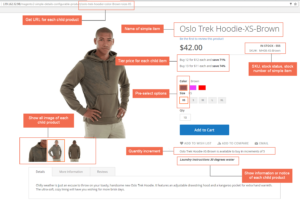
A configurable product acts as a “parent” or a container for multiple simple products (the “children”). On the storefront, the customer sees one product page with drop-down menus or swatches.
Technically, while the parent is what the customer interacts with, the inventory is still tracked via the individual child simple products linked to it. This creates a more organized and user-friendly catalog structure.
How Google crawls and indexes configurable products
In a standard Magento setup, the configurable product is the only page intended for indexing. The child simple products are typically set to “Not Visible Individually.”
This configuration offers several crawl benefits:
- Google only sees one URL for the entire range of variations.
- Crawl efficiency is maximized as bots visit fewer pages.
- Search equity is focused on the most important “parent” page.
- The site remains cleaner and easier for bots to navigate.
Parent vs child URL behavior
By default, when a user selects a size or color, the URL usually stays the same or appends a hash (e.g., #color=blue). Search engines generally ignore anything after the hash symbol.
This creates a consolidated authority point for your brand. Understanding how to implement canonical tags in Magento 2 is vital here to ensure that if child products are reachable, they always point back to the parent.
Configurable products are the “gold standard” for user experience. Google rewards sites that provide a seamless journey where users can find everything they need on a single page.
Key SEO strengths include:
- Link Juice Concentration: All internal and external backlinks point to one high-authority URL.
- Reduced Bounce Rates: Users are less likely to leave when they can see all options at once.
- Better Rankings: Higher potential to rank for competitive, broad terms like “Cotton T-Shirt.”
Common SEO risks: Duplicate content and thin child pages
The risk arises if you allow the child products to be visible to search engines. If both the parent and the children are indexable, you end up with multiple pages competing for the same keywords.
Potential risks to monitor:
- Thin Content: Child pages often lack unique descriptions, looking like low-quality pages to bots.
- Keyword Competition: Your own product variants can push each other down in search results.
- Crawl Waste: Bots may spend too much time on irrelevant variations.
SEO Comparison: Configurable vs Simple Products
Indexing behavior and crawl budget impact
Crawl budget is the number of pages Googlebot processes on your site within a specific timeframe. Managing this budget is essential for large-scale e-commerce stores.
- Simple Products: Rapidly consume budget, potentially leaving new items unindexed.
- Configurable Products: Preserve budget by grouping variants under a single URL.
- Efficiency: A configurable approach is almost always superior for sites with thousands of SKUs.
Duplicate content and canonicalization
With simple products, you must manually manage canonical tags to tell Google which version is the “master.” With configurable products, Magento handles most of this logic automatically.
However, issues can still arise with:
- Layered Navigation: Filtered URLs (like “Color=Blue”) can create thousands of duplicates.
- Session IDs: Ensure these are not being indexed as separate URLs.
- Breadcrumbs: Consistent pathing is required to maintain a logical site hierarchy.
URL structure and internal linking
Simple products provide descriptive URLs for every variant, which can be a minor ranking factor for very specific searches. However, configurable products simplify the site’s overall “link architecture.”
- Internal Linking: Instead of linking to 10 colors, you link to one parent.
- Navigation: Categories look cleaner with one entry per product design.
- User Clarity: Shorter, concise URLs are often easier for users to read and share.
Keyword targeting flexibility
If you want to rank for “Small Blue T-Shirt,” a simple product is easier to optimize for that specific phrase. Configurable products are typically optimized for broader terms like “Cotton T-Shirt.”
- Simple: Best for ultra-specific long-tail targeting.
- Configurable: Best for high-volume, competitive head terms.
- Hybrid: Allows you to index specific high-value variants while hiding others.
Structured data and rich result eligibility
Magento’s Schema.org implementation varies between these types. For a simple product, the “Price” and “Availability” in the search results are straightforward and easy for bots to parse.
For a configurable product, the schema should ideally show a price range:
- Displays like “$20.00 – $30.00” in search results.
- Requires correct configuration to avoid missing “Rich Snippets.”
- Impacts Click-Through Rate (CTR) significantly in organic search.
Category pages are often the highest-ranking pages on a Magento site. Simple products can clutter these pages with 20 versions of the same item, which looks like spam.
Configurable products allow for:
- Clean Category Views: Each unique design is shown only once.
- SEO-Friendly Filtering: Layered navigation can be set to canonicalize or index based on search volume.
- Better User Engagement: A cleaner UI leads to higher conversion rates.
Which Product Type Should You Choose for SEO?
When simple products are the better SEO choice
Simple products are the right choice when each variation has significant, unique search volume. This is common in the electronics industry where specific specs are key.
Choose simple products if:
- Users search for specific SKUs or storage capacities (e.g., “64GB iPhone”).
- The variants are actually different models with distinct technical specifications.
- You have a small catalog where every page can be uniquely marketed.
When configurable products make more sense
For fashion, furniture, and most consumer goods, configurable products are superior. If you sell a sofa that comes in multiple fabrics, most users search for “Modern Sofa.”
Choose configurable products if:
- Variants differ only by aesthetic attributes (color, size, material).
- You want to build maximum authority for a single product landing page.
- You need to manage a large catalog without overwhelming search engine bots.
Hybrid strategies: Indexing selected child products
Advanced Magento SEOs often use a hybrid strategy. This involves using a configurable product for the main storefront but allowing specific “high-value” child products to be indexable.
For example, if “Black Leather Jacket” has high search volume but “Brown Leather Jacket” does not:
- Make the Black variant a visible simple product with its own URL.
- Keep the Brown one hidden under the parent configurable product.
- Use careful canonical tagging to ensure the parent remains the primary authority.
SEO-safe Magento settings to support each choice
To support your choice, ensure the following settings are correctly configured in your Magento backend:
- Visibility: Set child products to “Not Visible Individually” for configurable setups.
- Canonical Link Meta Tag: Use the “Parent” product as the canonical for all variations.
- Meta Templates: Use extensions to auto-generate unique titles like “[Product Name] – [Color].”
- Sitemaps: Include only the pages you actually want indexed in your XML sitemap.
Common mistakes to avoid during implementation
The biggest mistake is “Indecision.” Switching between types without setting up proper 301 redirects will destroy your current rankings and organic traffic.
Other mistakes include:
- Autogenerated URLs: Leaving child URLs active creates “ghost pages” and duplicate content.
- In Stock Schema: Failing to update schema when variants go out of stock.
- Thin Descriptions: Using the exact same text for every simple product variant.
Why the “right” choice depends on catalog size, variants, and search demand
There is no one-size-fits-all answer for every e-commerce business. A store with 50 unique items will find simple products easier to manage and optimize for long-tail traffic.
Conversely, a store with 50,000 SKUs must use configurable products to survive crawl budget limitations. You must analyze:
- Customer search behavior (general vs. specific).
- Internal resource capacity for content creation.
- Technical limitations of your current server and indexing speed.
Conclusion
For long-term growth, the configurable product model is generally the safest and most efficient path for Magento merchants. It provides the best balance between SEO health and conversion.
By concentrating your authority into fewer, higher-quality pages, you create a site that is easy for Google to understand. This consolidated approach ensures your rankings remain stable as your catalog expands.