Internal links are the connective tissue of your Magento store, guiding customers from discovery to checkout. However, as stores scale, “broken links” (404 errors) often emerge. In a Magento context, these are links pointing to pages that no longer exist or have moved without proper redirection.
For growing stores, these errors degrade user experience, halt search engine crawlers, and diminish SEO authority. Maintaining link health ensures that both users and bots can navigate your catalog seamlessly, preserving the technical integrity of your e-commerce platform.
Nội dung bài viết
How to find broken internal links in Magento
Common places where internal links break in Magento
In the complex architecture of Magento, internal links typically break due to catalog volatility. When a store owner deletes a product or changes its status to “Disabled,” any link pointing to that specific URL becomes a dead end.
Similarly, category deletions or moving a sub-category to a different parent can invalidate existing URL paths.
URL rewrites and slug updates are frequent culprits. If you change a product’s “URL Key” without enabling the “Create Permanent Redirect for old URL” option, every internal link pointing to the old slug will break.
Furthermore, CMS pages and static blocks often contain hard-coded links that do not update automatically when the underlying catalog structure changes.
Finally, layered navigation—especially filtered URLs involving attributes like color or size—can break if attributes are deleted or if the SEO settings for filtered results are modified.
Find broken internal links using Magento admin
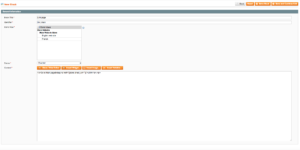
The Magento Admin Panel offers native tools to investigate link health. You should start by navigating to Marketing > SEO & Search > URL Rewrites. Here, you can audit the current redirects and identify if any target paths point to non-existent pages.
For content-heavy stores, manually reviewing CMS pages and static blocks is necessary. Use the search function within Content > Elements > Pages or Blocks to look for specific old URL keys.
Additionally, check your category assignments under Catalog > Categories to ensure that “Menu” links are still pointing to active categories.
Using a Magento SEO plugin can often automate this auditing process by highlighting inconsistencies directly within the dashboard.
Find broken internal links using Google Search Console
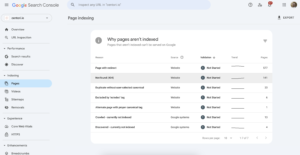
Google Search Console (GSC) is an essential diagnostic tool. Navigate to the “Pages” report under the “Indexing” section. Look for the “Not found (404)” status. GSC lists the specific URLs that Google attempted to crawl but could not find.
It is crucial to distinguish between “True 404s” and “Soft 404s.” A true 404 occurs when a page is genuinely gone, whereas a soft 404 happens when Magento returns a “Success” code but the page looks empty or redirects to an irrelevant location (like the homepage).
 Prioritize fixing links that appear in your sitemap or those that receive high internal traffic, as these have the greatest impact on your site’s crawl budget.
Find broken internal links using SEO crawling tools
While manual checks are helpful, professional SEO crawling tools provide a comprehensive view of your internal link architecture. By running a full site crawl, these tools simulate a search engine bot and follow every link on your store.
Once the crawl is complete, filter the results for “Internal 404” errors. Most tools will provide a “Link From” or “In-links” report, which maps exactly which source pages contain the broken link. This allow you to go directly to the page requiring an update rather than searching for the broken link blindly.
How to fix broken internal links in Magento
Decide the right fix based on link intent
Not every broken link requires the same solution. Your strategy should depend on the intent of the link:
- Direct Update: If a link in a CMS block is broken but the content exists elsewhere, simply update the URL to the new destination.
- 301 Redirect: If a product has moved permanently, a Magento 301 redirect ensures that both users and link equity are transferred to the new URL.
- Removal: If the linked content is no longer relevant (e.g., a link to a seasonal promotion from three years ago), it is often better to remove the link and the surrounding text entirely to maintain content quality.
Fix broken links caused by deleted or disabled products
When a product is discontinued, the internal links pointing to it must be addressed. If the product is replaced by a newer version, reassign the internal links to the active replacement.
For CMS content that mentions discontinued items, rewrite the copy to reflect your current inventory.
If the product URL still receives significant external traffic, implement a permanent redirect to the most relevant category page to prevent a poor landing experience.
Fix broken links caused by category and URL rewrite changes
Magento’s “URL Rewrite” system is powerful but requires careful management. When changing category paths, ensure that the “Automatic Redirect” feature is active.
Avoid “Redirect Chains,” where URL A points to URL B, which then points to URL C. This slows down page load times and confuses crawlers. Always point internal links directly to the final, canonical destination.
Using a 302 redirect in Magento stores should be reserved for strictly temporary changes, such as a product being out of stock for a week, to ensure search engines do not de-index the original URL.
Top navigation menus, footers, and breadcrumbs are the most clicked internal links. If these are broken, your bounce rate will spike. Check the “Menu” settings in your theme or Magento’s category configuration to ensure all links are valid.
For links inside CMS blocks and widgets, use “Directives” (e.g., {{store url=’path’}}) instead of hard-coded domain names. This ensures that links remain functional even if you move from a staging environment to a live production environment.
How to prevent broken internal links in Magento
Create a safe workflow for product and category changes
Prevention begins with a disciplined content lifecycle. Before deleting a product or category, check for internal dependencies. Do not delete a category until you have moved its sub-categories and redirected the primary URL.
If you must disable a product, set up the redirect immediately as part of the “Discontinuation” workflow. This proactive approach prevents 404 errors from ever appearing in the first place.
To minimize errors, centralize your link management. Use Magento’s internal widget system to link to products and categories rather than pasting raw URLs. Avoid hard-coding absolute URLs (e.g., https://www.yourstore.com/product) in your CMS blocks.
Instead, use relative paths or Magento’s curly-bracket syntax. This ensures that if the site’s protocol changes (e.g., from HTTP to HTTPS) or the domain changes, the links remain intact.
Monitor internal links regularly
Internal link health is not a “set and forget” task. Schedule monthly crawls using SEO software to catch errors before they impact your rankings.
Regularly review the “Indexing” report in Google Search Console to monitor how Google perceives your site structure.
Focus your attention on high-traffic pages, such as the homepage and top-selling categories, as these carry the most “link juice” and have the highest impact on customer conversion.
Prevent internal link issues during Magento migrations
Migrations—whether from Magento 1 to Magento 2 or from another platform—are high-risk events for internal links. Before the move, create a comprehensive URL map of every existing link.
Once the new store is live, perform a post-migration validation to ensure every old URL correctly redirects to its new counterpart. Run a broken link checker immediately after the DNS switch to identify and fix any missed paths before they are indexed by search engines.
Conclusion
Maintaining the health of internal links is vital for a scalable Magento SEO strategy. By systematically finding, fixing, and preventing 404 errors, you protect your store’s crawl budget and improve the shopping experience.
While Magento’s complexity can lead to link decay, a proactive workflow involving regular audits and smart URL management will keep your store technically sound.
Consistent monitoring ensures that your internal link equity remains strong, supporting higher search rankings and a frictionless path to purchase for your customers.