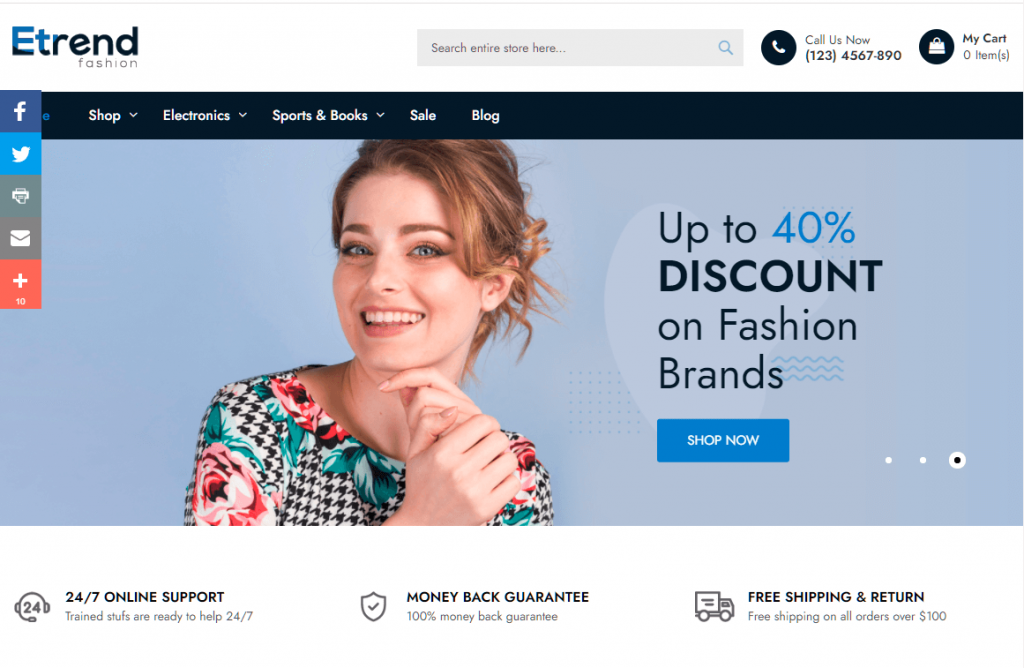
Selecting a Magento theme is a critical structural decision that dictates your store’s search visibility and technical efficiency. Beyond aesthetics, the theme serves as the frontend layer communicating with search crawlers and browsers.
A poorly optimized theme creates a performance “ceiling” that configuration alone cannot fix.
This guide explores how theme architecture influences SEO, Core Web Vitals, and mobile-first indexing, providing a roadmap for balancing high-end design with the rigorous technical demands of modern search engine algorithms.
Nội dung bài viết
- 1 Why Magento themes play a critical role in SEO and performance
- 2 How Magento themes influence SEO fundamentals
- 3 How Magento themes impact performance
- 4 Considerations when choosing a theme for SEO and performance
- 5 Detailed Magento Configuration Guide for SEO and Performance
- 6 Best practices to optimize Magento themes for SEO and performance
- 7 Conclusion
Why Magento themes play a critical role in SEO and performance
In Adobe Commerce, your theme is more than a visual layer—it controls the Document Object Model (DOM) and the rendering path. Since Magento’s backend is resource-intensive, a lightweight frontend is essential for ranking. Themes with bloated JavaScript or non-semantic HTML can block Google from indexing content, undermining even the strongest product catalog.
Many believe SEO is limited to backend settings or metadata. While a Magento 2 SEO extension: https://bsscommerce.com/magento-2-seo-extension.html is vital for managing sitemaps and rich snippets, the theme dictates how quickly and effectively crawlers access that data.
In e-commerce, design and technical SEO are inseparable. A high-end visual element, like an oversized slider, is a technical liability if it delays load times and suppresses organic traffic.
How Magento themes influence SEO fundamentals
HTML structure and semantic markup
A well-built Magento theme relies on clean, semantic HTML elements such as header, nav, main, article, and footer. These elements help search engines understand how your page is structured and which content is most important.
When semantic markup is implemented correctly, search engines can clearly identify:
- The content hierarchy through proper H1–H6 heading usage
- Primary content areas such as product descriptions or category listings
- Secondary elements like navigation menus, filters, and footer content
As a result, category and product pages are indexed more accurately, which improves both visibility and relevance in search results.
In contrast, poorly coded Magento themes often cause SEO issues. Common problems include using multiple H1 tags on a single page, wrapping key content in non-semantic div elements, or breaking the logical heading order. These mistakes make it harder for search engine crawlers to interpret page structure, leading to weaker content signals and reduced ranking potential.
Impact on Core Web Vitals & page experience
Largest Contentful Paint (LCP) and hero elements:
LCP measures the time it takes for the largest visual element on the screen to become fully visible. In Magento, this is almost always the hero banner on the homepage or the main image on the product page.
Themes that use “lazy loading” on these primary images actually hurt LCP scores, as the image shouldn’t wait for a scroll to load. A high-performance theme will “eager load” the LCP element and use high-priority fetch hints.
Cumulative Layout Shift (CLS) from theme layouts:
CLS measures visual stability. We have all experienced a page where the text jumps down just as we are about to click a link because an image or an ad finally loaded. In Magento themes, common culprits include:
- Images without defined width and height attributes in the HTML.
- Web fonts that load slowly, causing the text to change size or shape once the font file arrives (FOUT/FOIT).
- Dynamic “Bestseller” or “Promotion” blocks that are injected into the page via AJAX after the initial render.
Interaction to Next Paint (INP) and JavaScript execution:
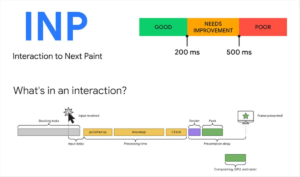
INP is the newest Core Web Vital, replacing First Input Delay (FID). It measures the latency of all user interactions (clicks, taps, keyboard presses). Themes that rely heavily on complex JavaScript frameworks keep the browser’s main thread occupied.
If a customer clicks “Add to Cart” but the theme is still busy processing a massive “Mega Menu” script, the delay will result in a poor INP score and likely a lost sale.
Mobile responsiveness & mobile-first indexing
Magento follows Google’s mobile-first indexing approach, meaning the mobile version of your store is used as the primary source for ranking and indexing. Because of this, mobile responsiveness is no longer optional—it directly affects SEO performance.
A Magento theme built with true responsive design adapts seamlessly to different screen sizes while preserving full content and functionality. When a theme uses proper viewport settings and delivers the same core content on both desktop and mobile, search engines can accurately evaluate page relevance, usability, and performance.
Responsive, mobile-first themes tend to perform better in rankings because they:
- Maintain consistent content across devices
- Provide better mobile user experience and engagement
- Avoid crawl and indexing issues caused by missing or hidden content
On the other hand, themes that rely on separate mobile layouts or JavaScript-based responsive hacks often introduce SEO risks. Hiding or deferring content on mobile can prevent search engines from accessing important information, while complex JS-driven layouts may slow rendering and reduce mobile usability. These issues weaken mobile-first signals and can negatively impact both rankings and conversion rates.
Magento theme logic affects accessibility and crawlability
Navigation structure, hidden content, and crawl depth
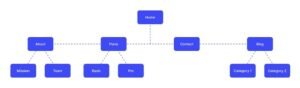
The theme’s menu system is the primary map used by search engines to discover your catalog.
Modern “Mega Menus” can be beneficial for UX, but if improperly coded, they can create thousands of redundant links in the DOM, diluting the authority of your main category pages.
Conversely, if navigation is only injected into the DOM after a user interaction (like clicking a hamburger icon), search crawlers may fail to find your deep-level category pages entirely, significantly hurting your crawl depth.
How theme logic affects indexability
Many themes utilize “Infinite Scroll” or “AJAX Pagination” to enhance the browsing experience. While these features keep users engaged, they require careful implementation of the History API (pushState) and proper <link rel=”next”> and <link rel=”prev”> tags. Without this specific theme-level logic, search engines may only see the first page of products, leaving thousands of SKU pages unindexed and invisible to potential customers.
How Magento themes impact performance
Frontend code quality: CSS and JavaScript weight
Magento is notoriously heavy on the frontend, often loading legacy libraries like jQuery, jQuery UI, Knockout.js, and RequireJS by default. A poorly optimized theme adds even more weight with third-party slider plugins, social media widgets, and custom icon fonts.
- CSS Weight: Large, unminified CSS files increase the initial download time and require more CPU cycles for the browser to process, delaying the moment a user can see the page.
- JavaScript Execution: Excessive JS leads to “Main Thread Contentions.” While the browser is busy executing complex theme scripts, it cannot respond to user clicks, directly impacting your Interaction to Next Paint (INP) scores.
Render-blocking resources and the Critical Path
The theme controls exactly which files are requested in the <head> of the HTML document. If your theme requires five different CSS files and three JS libraries before it can display a single pixel, it is creating “render-blocking” issues. Performance-optimized themes prioritize the “Critical Rendering Path,” delivering only the essential styles for the top of the page (above the fold) and deferring everything else. Utilizing a Magento 2 Full Page Cache for SEO can help serve these assets faster, but it cannot fix a theme that has fundamentally poor loading priorities.
Inline vs external assets
A balanced theme architecture is essential for caching efficiency. While inlining small amounts of CSS can improve the First Contentful Paint (FCP), over-inlining leads to massive HTML files that cannot be cached by the browser effectively. A strategic theme setup utilizes a Magento CDN setup for SEO performance to serve static assets from locations geographically closer to the user, reducing the Time to First Byte (TTFB).
Considerations when choosing a theme for SEO and performance
Key characteristics of SEO- and performance-friendly Magento themes
- Clean, semantic HTML structure: A well-built Magento theme uses semantic HTML elements and a clear heading hierarchy. This helps search engines understand page structure and content relationships while also improving accessibility and crawl efficiency. Avoid themes that rely heavily on non-semantic containers or misuse heading tags for styling.
- Mobile-first, responsive design: SEO-friendly Magento themes are designed with mobile users as the primary focus. Layouts adapt smoothly across screen sizes without hiding content or degrading functionality. This supports mobile-first indexing and ensures consistent performance and usability on all devices.
- Minimal and modular CSS and JavaScript: Performance-focused themes load only the CSS and JavaScript required for each page. Modular assets reduce file size, limit render-blocking resources, and improve Core Web Vitals. Themes that bundle large, unused scripts across all pages often lead to slower load times.
- No hard-coded SEO elements: A good Magento theme does not hard-code title tags, meta descriptions, canonical URLs, or structured data. SEO control should remain with Magento’s core system or SEO extensions, allowing flexible optimization without conflicts or duplicate metadata issues.
- Proper image handling: SEO-friendly themes support responsive images, lazy loading for non-critical assets, and defined image dimensions. This improves loading speed, prevents layout shifts, and ensures images display correctly across devices while supporting image SEO best practices.
- Compatibility with Magento caching and optimization features: Themes should work seamlessly with Magento’s built-in caching, full-page cache, and static content deployment. Proper compatibility ensures that optimized assets are cached correctly, delivering faster page loads and consistent performance under high traffic.
Theme architecture differences and their SEO impact
-
- Default Magento themes (Luma): Luma has been the standard for Magento 2 since its inception.
- Strengths: It is highly stable, extensively documented, and serves as the benchmark for almost all Magento extensions.
- Challenges: It is built on a legacy tech stack (RequireJS and Knockout.js) that makes achieving a 90+ mobile PageSpeed score extremely difficult and time-consuming. For modern SEO, Luma is often considered “technical debt.”
- Third-party commercial themes: Marketplaces like ThemeForest are filled with Magento themes that look incredible in demos.
- The Trap: These themes often achieve their look by layering dozens of extensions and scripts on top of each other. This “feature-rich” approach often leads to a “performance-poor” reality.
- SEO Risks: Many commercial themes prioritize design over accessibility and semantic structure, making them a risky choice for stores relying on organic traffic.
- Lightweight and modern themes (Hyvä, PWA): The industry is currently shifting toward leaner frontend solutions.
- Hyvä: By stripping away the legacy libraries and using Alpine.js and Tailwind CSS, Hyvä reduced the JS weight by up to 90%. This leads to instant loading times and perfect Core Web Vitals.
- PWA Studio / Vue Storefront: These headless solutions offer an app-like experience. However, they require advanced “Server-Side Rendering” (SSR) configurations. If the SSR fails, search engines see a blank page, making the technical SEO setup for PWAs far more complex than traditional themes.
Detailed Magento Configuration Guide for SEO and Performance
To optimize your theme’s impact, follow these specific configuration steps within the Magento Admin and codebase.
1. Optimize JavaScript Execution
Go to Stores > Configuration > Advanced > Developer. Under JavaScript Settings:
- Merge JavaScript Files: Set to ‘Yes’ only if you are on an older server without HTTP/2 support.
- Minify JavaScript Files: Always set to ‘Yes’ in production.
- Enable JavaScript Bundling: Generally set to ‘No’. Standard bundling creates massive files that delay execution. Instead, use a theme-specific custom bundling tool.
- Move JS to Bottom of Page: If your theme is compatible, moving non-essential scripts to the end of the <body> tag ensures that the content renders before the scripts execute.
2. Streamline CSS Delivery
Under CSS Settings in the Developer menu:
- Merge and Minify CSS: Set both to ‘Yes’ to reduce the number of HTTP requests and the total byte size.
- Use CSS Critical Path: This is a vital setting. When enabled, Magento looks for a critical.css file in your theme. This file should contain the bare minimum CSS required to render the top part of the page. This allows the browser to show the page to the user immediately while the full stylesheet loads in the background.
3. Advanced Image Optimization via Configuration
Images often account for 70% of a page’s total weight.
- WebP Support: While Magento 2.4.x supports WebP, you must ensure your theme’s view.xml is configured to output these formats. Using WebP can reduce image file size by 30% compared to JPEG.
- Image Quality: In the Developer settings, ensure your image processing quality is set between 75 and 80. Anything higher provides diminishing visual returns for a significant increase in file size.
- Lazy Loading: Ensure your theme uses the native browser loading=”lazy” attribute for all images below the fold. This prevents the browser from wasting bandwidth on images the user hasn’t seen yet.
4. Database and Cache Synergy
Your theme performance is only as good as the data delivery speed.
- Varnish Cache: Go to Stores > Configuration > Advanced > System > Full Page Cache. Set the Caching Application to ‘Varnish Caching’. Varnish is significantly faster than the built-in file system cache and is essential for theme performance.
- Redis for Backend Cache: Ensure your env.php is configured to use Redis for session and metadata caching, reducing the time the theme spends waiting for the server to generate the HTML.
Best practices to optimize Magento themes for SEO and performance
Reduce frontend bloat
- Audit Theme Features: Many themes include “built-in” features like Instagram feeds or pop-up newsletters. If you aren’t using them, disable the code entirely rather than just hiding them with CSS.
- SVG over Icon Fonts: Replace heavy icon fonts (like FontAwesome) with inline SVGs for UI elements (search icons, carts, etc.). This reduces HTTP requests and avoids font-loading delays.
Improve Core Web Vitals through theme adjustments
- Reserve Space for Layout: Always define the aspect ratio of image containers in your CSS. This prevents the “jumping” effect (CLS) when images load.
- Prioritize the LCP: Add a <link rel=”preload” as=”image” href=”…”> tag in your theme’s head for the main product image. This tells the browser to start downloading the most important image immediately.
Note: When to change or upgrade your Magento theme
Optimization has limits.
If your current theme is built on an outdated framework and your mobile scores remain in the “Red” (below 49) after all configurations, you are fighting a losing battle.
The cost of developer hours required to “fix” a fundamentally slow theme often exceeds the cost of migrating to a modern, performance-first framework like Hyvä.
Conclusion
In the competitive world of Magento e-commerce, your theme choice is a strategic business decision, not just a creative one.
A high-performance theme acts as a catalyst for your SEO strategy, ensuring that your content is indexed quickly and that your users enjoy a seamless, fast experience that keeps them coming back.
Prioritizing a lightweight, semantic, and mobile-first architecture is the most effective way to secure sustainable organic growth and outpace your competition in the search results.